• Hey Guest. Check out your NeoGAF Wrapped 2025 results here!

Apple iPad 2 |OT|

Status
Not open for further replies.
LCfiner said:
WWDC in a few weeks.


less dependance on that USB cable is definitely a hope for a lot of people on here but there's remarkably few leaks about iOS 5 and what we should expect.

text to speech stuff and the icloud for music is the only stuff that seems like a safe bet.

no one knows if the icloud stuff will extend to apps and data syncing.
Speaking of leaks, it's crazy how porous Apple has become. It still has a reputation for secrecy, but most things seems to be leaked. Maybe that's what happens when the company becomes so big and you try to prepare to sell several million of a product one week after you launch it.

Even something minor like the new retail stuff and new Apple Store app was leaked. Its gotta make LKBAP rethink his whole "no rumors" mantra.

I would love automated downloading of podcasts, apps, and even app data like RSS, or new magazine/newspaper issues, but I don't know if Apple wants to sacrifice battery life for that.
 
LCfiner said:
WWDC in a few weeks.


less dependance on that USB cable is definitely a hope for a lot of people on here but there's remarkably few leaks about iOS 5 and what we should expect.

text to speech stuff and the icloud for music is the only stuff that seems like a safe bet.

no one knows if the icloud stuff will extend to apps and data syncing.

True, but Gruber has speculated that it will. He really thinks so speculation, not iPad 3 fake speculation. Lol.

I love his theory, that iCloud will be API's that developers can use in their apps for syncing and backups, as well as the cloud music service.

/crosses fingers
 
Tobor said:
True, but Gruber has speculated that it will. He really thinks so speculation, not iPad 3 fake speculation. Lol.

I love his theory, that iCloud will be API's that developers can use in their apps for syncing and backups, as well as the cloud music service.

/crosses fingers


I was going to post this but I was too lazy! I'm glad you brought it up. making it an API that other apps can use really steps it up and makes it much more powerful and desirable.

I hope it's not just wishful thinking that they can implement something like this. I think it's something they need to do sooner rather than later. It could benefit both the techy user and the layman. simpler, hassle free access to synced file and data across multiple devices.

Apple is way behind on this and Dropbox is saving their ass right now on iOS for this stuff.
 
LCfiner said:
I was going to post this but I was too lazy! I'm glad you brought it up. making it an API that other apps can use really steps it up and makes it much more powerful and desirable.

I hope it's not just wishful thinking that they can implement something like this. I think it's something they need to do sooner rather than later. It could benefit both the techy user and the layman. simpler, hassle free access to synced file and data across multiple devices.

Apple is way behind on this and Dropbox is saving their ass right now on iOS for this stuff.

They have this already working in iBooks, that's the interesting thing. Bookmarks, notes, and highlights will appear automatically from device to device. They know how to do this, my hope is that the iBooks syncing was Apple's way of quietly testing it for over a year.
 
Tobor said:
They have this already working in iBooks, that's the interesting thing. Bookmarks, notes, and highlights will appear automatically from device to device. They know how to do this, my hope is that the iBooks syncing was Apple's way of quietly testing it for over a year.
That is synced through iTunes though, right? Any universal app would do that. Not that hip.
 
numble said:
OH, that does make it interesting then.
Yep. Wireless and automatic. Syncs over a server, no iTunes needed. Not that big of a deal, other than to prove that Apple has some cloud syncing in operation right now.
 
Tobor said:
Yep. Wireless and automatic. Syncs over a server, no iTunes needed. Not that big of a deal, other than to prove that Apple has some cloud syncing in operation right now.


Shit, and I thought the syncing to cloud stuff already rocked on android devices (we even get wifi settings synced from device to device). However, if apple makes it such that say, games can use it... man. That would be like Steam cloud and not worrying anymore about your saved games!
 
Pastry said:
Is the iPad 2 still hard to find? I was thinking of swinging by my local Apple store to pick one up tomorrow afternoon as a birthday present to myself. If they are hard to come by still I will just go ahead and order onlIne, my birthday isn't for two more weeks anyway.
I've only seen one box sitting on a shelf in stores since launch. Supply is a lot better now, I'd call ahead to be sure to save you the trip.
 
badcrumble said:
Oh my god the new version of the Photo Cookbook had me buy its in-app purchases so hard. So many delicious recipes.
How do you like the app, and how are the in-app purchases? How many recipes per DLC? Is the Baking DLC different from their baking app?
 
I don't know where to ask this, so I'm trying here.

Me and my editorial are launching a Real Madrid C.F. fanclub website for the new season, and I would like to have a really simple app but with a great design for iOS devices. It should just be so that I can upload news, links and articles in the app. Does any of you know how to develop such an app? Should I look elsewhere?
 
numble said:
How do you like the app, and how are the in-app purchases? How many recipes per DLC? Is the Baking DLC different from their baking app?
Photo Cookbook is awesome. I haven't used the DLC, but the included recipes are great (and the high res imagery is awesome).
 
Myoclonic Jerk said:
Hi guys,

question about 3G download limitations.

Is there a way that I can download above 20MB apps via 3G?
Device would need to be jailbroken first. If you have iPad 2, you're out if luck for now.
 
numble said:
How do you like the app, and how are the in-app purchases? How many recipes per DLC? Is the Baking DLC different from their baking app?
I really like the app (though of course I use Epicurious as well). It's probably about 40 recipes per DLC, I'd say. And I haven't tried the baking app.

In-app purchases add more nice recipes, basically. I still want to scan some of my physical cookbooks into my iPad (maybe as PDFs for iBooks) because it's an absolute joy to have in the kitchen instead of a big clunky cookbook.
 
Alright, so I bought a 6 foot charging cable from Amazon because I wanted to be able to be further away from an outlet when needing to have my iPad 2 plugged in, it works, but it charges very slowly compared to apple's cable.

Anyone have suggestions for longer cables that charge just as fast as Apple's?
 
Deadly Cyclone said:
Alright, so I bought a 6 foot charging cable from Amazon because I wanted to be able to be further away from an outlet when needing to have my iPad 2 plugged in, it works, but it charges very slowly compared to apple's cable.

Anyone have suggestions for longer cables that charge just as fast as Apple's?

Why not buy a USB extension instead?
 
NYR said:
I've only seen one box sitting on a shelf in stores since launch. Supply is a lot better now, I'd call ahead to be sure to save you the trip.
Managed to pick one up from the Apple store this morning, super excited to start using it. It's a shame I have to be at work all day :( I want to play with it.
 
Anyone have an good covers/cases for their iPad's? Smart Covers are cool, but I think I want the whole thing protected, not just the screen, although the stand part of it is really nifty
 
I will probably get a smart cover when I get my iPad 2 because it's cool and doubles as a stand.

How do you guys carry it around outside the home? Backpack, satchel, sleeve?
 
Zzoram said:
I will probably get a smart cover when I get my iPad 2 because it's cool and doubles as a stand.

How do you guys carry it around outside the home? Backpack, satchel, sleeve?
I use a Belkin sleeve and put that into my messenger bag.
 
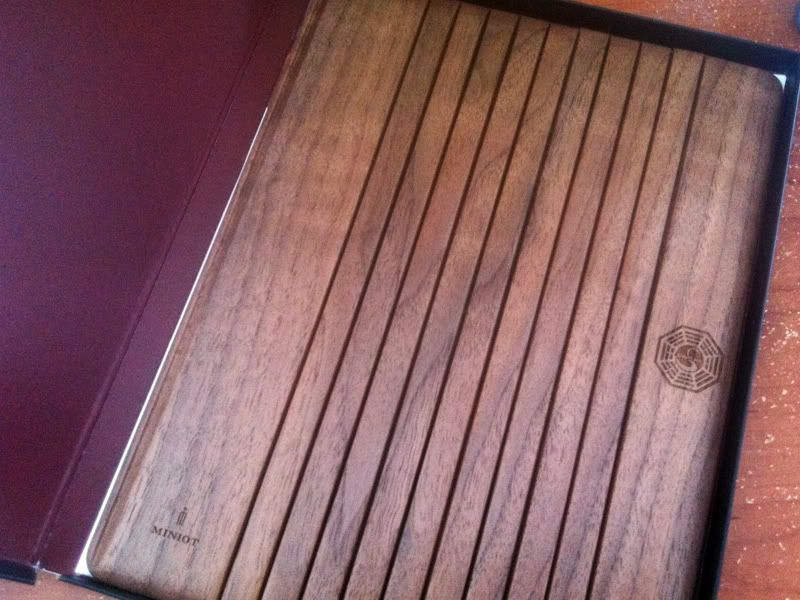
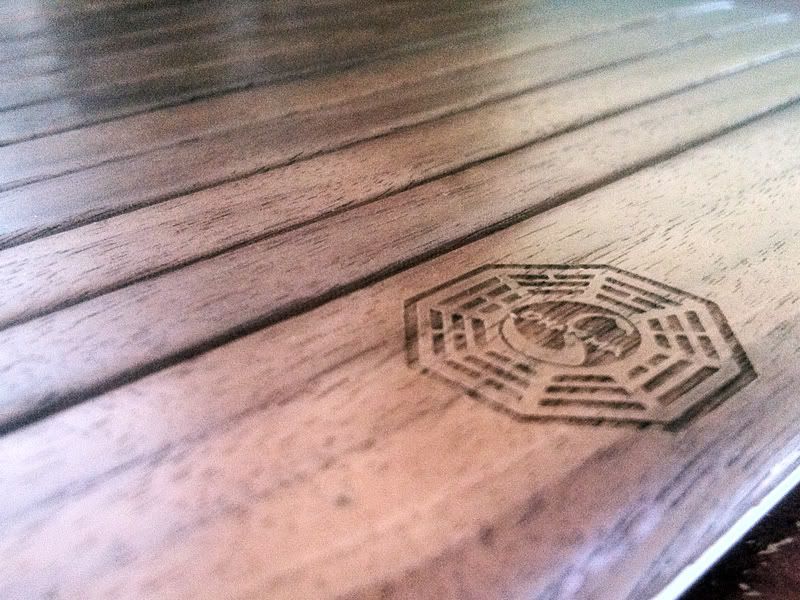
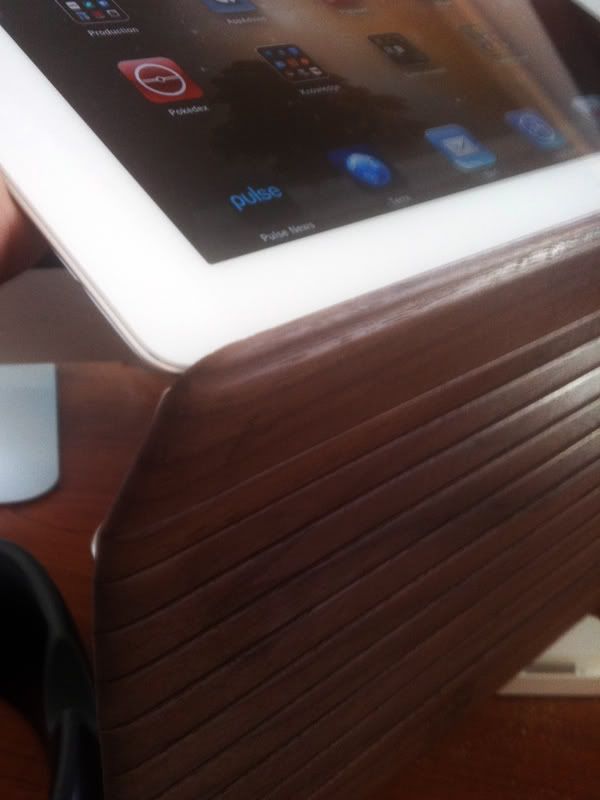
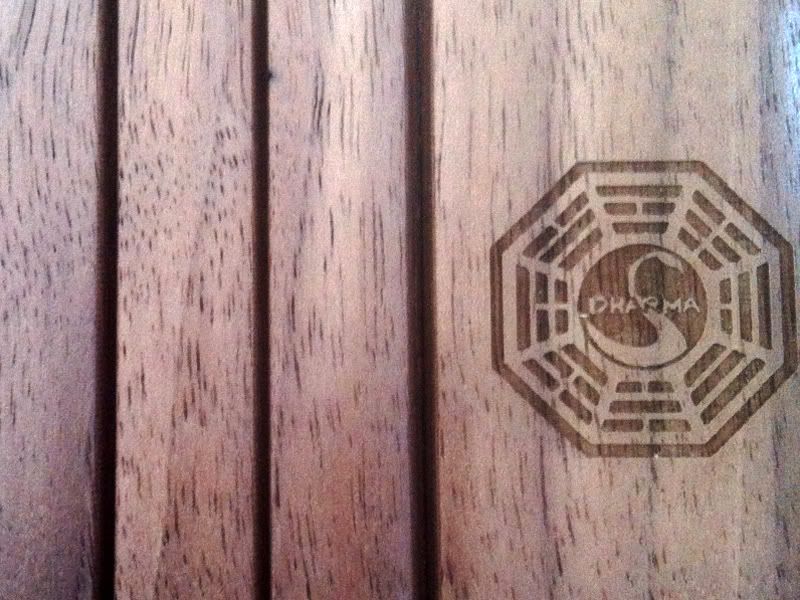
Look what came today!! I love it.

IMG_1661.jpg

IMG_1666.jpg


So here's the breakdown. I DO NOT agree with the reviews. So this is mine.

Pros
-Super light weight
-Great look
-higher angles
-Better hand for holding
-Looks slick
-Nice and durable

Cons
-Doesn't snap around so you have to turn it (not a big deal)
-wouldn't wanna hold the ipad from the cover only (you're dumb to do it even with a smart cover)


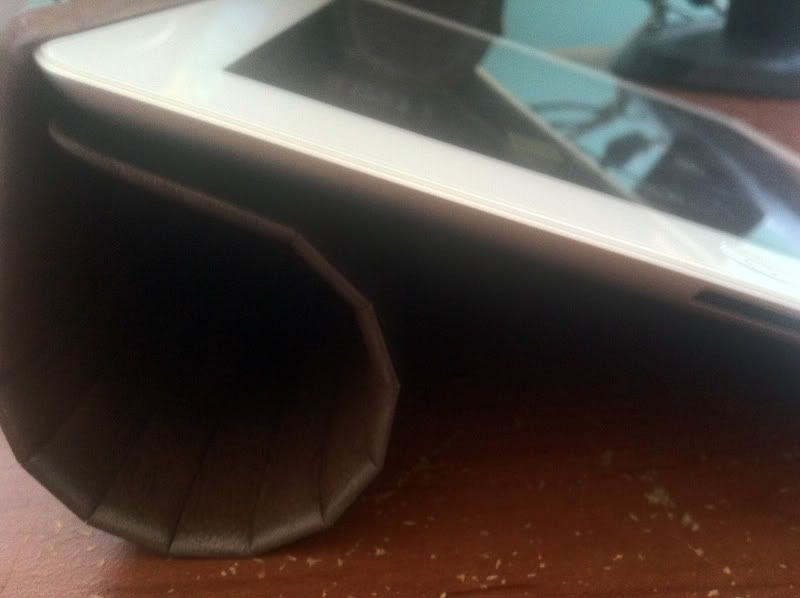
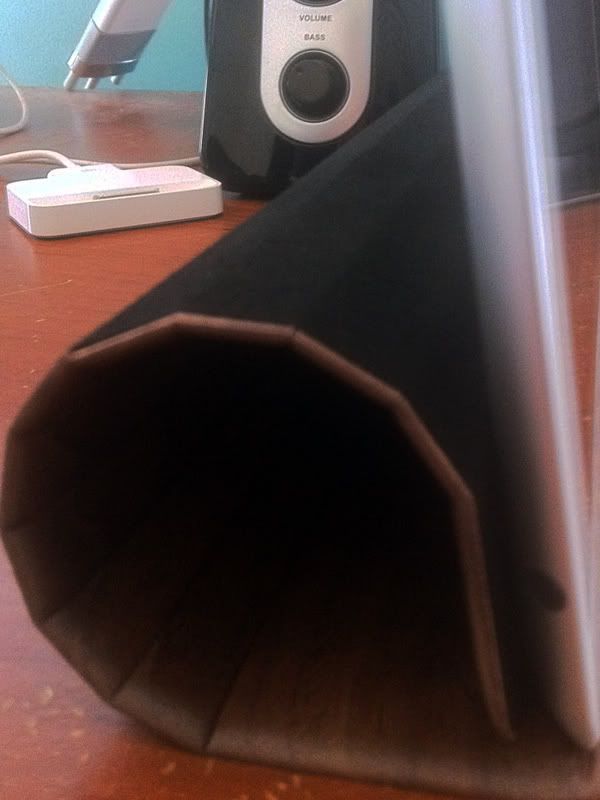
My biggest two gripes with the reviews online are this. Look below as to how it is curled up. I'd like to address the biggest complaints of the cover.

IMG_1672.jpg
IMG_1670.jpg


In two reviews I saw they opened it and immediately tried the folding like with a smart cover. Except this IS NOT a smart cover. You need to apply a bit more pressure.

My first three attempts to fold it were met with resistance form the wood as it had yet to be bent back. After that It clicks in perfectly overtime. I just have to click it down, unlike the smart cover since there is actually weight to this one, and needs to be broken int.

With that said I can easily after a few attempts, now having it loosened up (was very stiff at first) it clicks and holds together perfectly. I did have the same problem as both unboxing reviews for about 1 min. After that the wood was nice and loose and locks into position. Which makes sense really. So that debunks the first part of the negative reviews.

Next is using it folded back. Which actually works well. If you do it right.

IMG_1673.jpg


Apparently people didn't think of this. Since it doesn't clip on the sides, the other problem found with the cover was you have to take it off if you don't want to use it as a stand. Well if you just flip the cover around you can see above it will hold onto the ipad. All the people int he review tried to do the same movements as with the apple smart cover, which shouldn't work since this has a different magnetic positioning.

Now if they had only flipped it around, with the microfiber on the inside, they would have seen the cover hangs onto the back and can be held magazine style, just like the smart cover.

So all in all I love it. It holds very well, looks amazing and I love the solid feel.

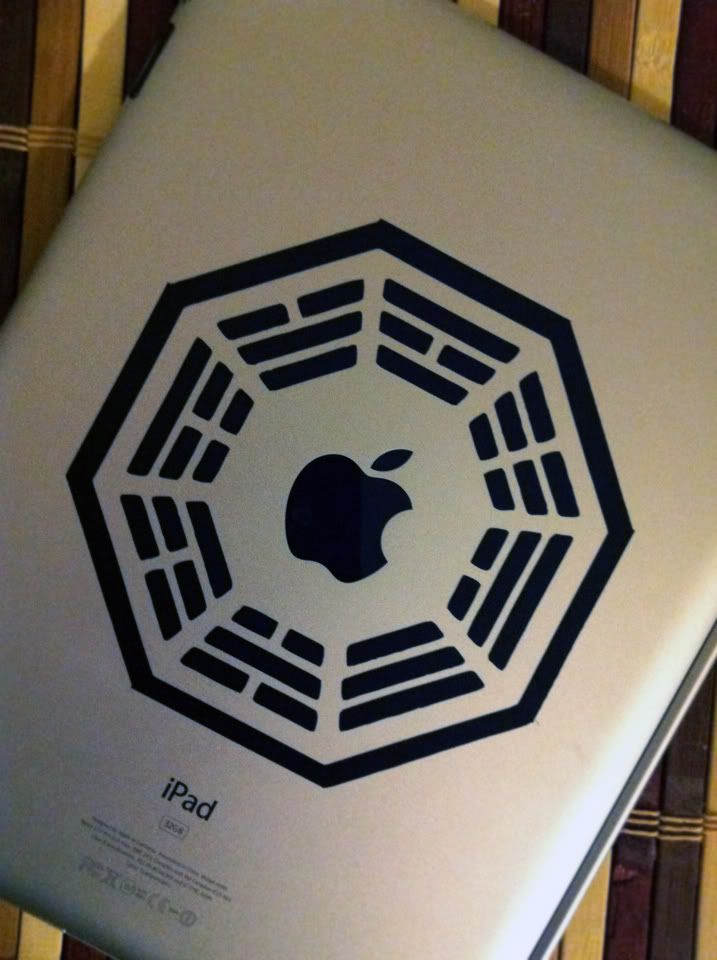
Don't they look great for one another!

IMG_1681.jpg

photo-9.jpg
 
Zzoram said:
Is a smart cover adequate to protect the iPad 2 in a messenger bag or backpack?
For the front, yes. But the iPad 2 has a camera on the back and I wouldn't really put mine into a bag without a sleeve considering that.
 
bob page said:
For the front, yes. But the iPad 2 has a camera on the back and I wouldn't really put mine into a bag without a sleeve considering that.

My iPhone 4 back is uncovered and goes in my pocket all the time, but I usually put nothing else in that pocket. If I put it in it's own pocket in a bag, the camera should be fine right?
 
I am now (as if I wasn't before) a full-on, card-carrying member of the Apple Defense Force. My iPad1 was accidentally knocked out of my hands and landed face down. I did that thing where you cry out and grab for it and your fingers just brush it before it shatters on the ground. Took it in to the Apple store and they swapped it for a refurb, no questions asked. What awesome customer service, since it was absolutely not covered by warranty. I wish every company would take a page from Apple, Nintendo or Amazon. That's how you make a fanboy.

I'm sticking with just the smart cover for the iPad2, but since the iPad1 is for the family, I need to get it in a case.
 
Anastacio said:
I don't know where to ask this, so I'm trying here.

Me and my editorial are launching a Real Madrid C.F. fanclub website for the new season, and I would like to have a really simple app but with a great design for iOS devices. It should just be so that I can upload news, links and articles in the app. Does any of you know how to develop such an app? Should I look elsewhere?
How about a site designed for mobile? Won't be as nice as native, but they can be pretty good, particularly if your needs really are as simple as you say. That and you won't have to worry about an Apple reviewer hating you randomly and rejecting your app.
 
Trojita said:
When I get my iPad 2 I will probably get a sleeve from this company

http://www.colcasac.com

i have one of these, but one thing is, the stitching that holds the front and the back of the pouch comes together inside and is HUGE, so pretty much when you put your ipad in, one side gets stuck in front of the stitch, and one gets stuck in back of the stitch

it sorta makes it look all off center, ugly and not really feel that great :(
 
So I keep talking to people who tell me that ios5 on I pad is a ccompletely different beast than on iPhone. So does anyone have a site that breaks down just how different it is from the iPhone version. Because to me, they seem exactly the same other than the fact one is on a phone and the other one on a pad.
 
Angelus Errare said:
So I keep talking to people who tell me that ios5 on I pad is a ccompletely different beast than on iPhone. So does anyone have a site that breaks down just how different it is from the iPhone version. Because to me, they seem exactly the same other than the fact one is on a phone and the other one on a pad.

i guess you mean iOS 4.

it's very similar. few changes here and there like the number of apps you can put in a folder and the brightness controls that show up on the side of the app switching UI when you double tap the home button.

as always, the big difference between the ipad and iphone is in the design of the apps. ipad apps can be more complex and offer more controls with feeling overloaded since there's so much more screen real estate.
 
Fulleffect said:
i have one of these, but one thing is, the stitching that holds the front and the back of the pouch comes together inside and is HUGE, so pretty much when you put your ipad in, one side gets stuck in front of the stitch, and one gets stuck in back of the stitch

it sorta makes it look all off center, ugly and not really feel that great :(
NOOOOOOOOOOOOOOOOOOOOO :(

I thought they looked really nice. That sucks that htey aren't functional at all.
 
Zzoram said:
Did you buy it direct from Apple? What did you tell the Apple reps?
I had bought my original iPad direct from Apple, but this was a refurb I got from them a couple of months ago as it had stopped syncing. I didn't have to tell them anything. He said what they always say, "We can swap this out for you, just this once."
 
adamsappel said:
I am now (as if I wasn't before) a full-on, card-carrying member of the Apple Defense Force. My iPad1 was accidentally knocked out of my hands and landed face down. I did that thing where you cry out and grab for it and your fingers just brush it before it shatters on the ground. Took it in to the Apple store and they swapped it for a refurb, no questions asked. What awesome customer service, since it was absolutely not covered by warranty. I wish every company would take a page from Apple, Nintendo or Amazon. That's how you make a fanboy.

I'm sticking with just the smart cover for the iPad2, but since the iPad1 is for the family, I need to get it in a case.

Guy at my work dropped his iphone4 and the screen cracked. Took it to apple and they gave him a new one no questions asked. Is apple always like this?
 
Outtrigger888 said:
Guy at my work dropped his iphone4 and the screen cracked. Took it to apple and they gave him a new one no questions asked. Is apple always like this?

Apple's customer service is really top notch. Especially if you're under warranty or have AppleCare.
 
Contemplating buying an ipad original gen from Apple for $350

I really just want one for pdfs, magazines, and board games.


Can I get by with an original generation ipad or should I save up for a new gen model?
 
outunderthestars said:
Contemplating buying an ipad original gen from Apple for $350

I really just want one for pdfs, magazines, and board games.


Can I get by with an original generation ipad or should I save up for a new gen model?
After my experience, I'm an advocate of the pseudo-leasing model. If you get a current-gen model and take care of it, you should be able to sell it and fetch 350-400 for it if you sell it right before the launch of the next one. I sold my $499 iPad for $350 4 days after the iPad 2 went on sale. If you're willing to stand in line for launch, you'll probably come out even too, since you can buy two iPads and Craigslist the extra one for a $75-150 markup.
 
Outtrigger888 said:
Guy at my work dropped his iphone4 and the screen cracked. Took it to apple and they gave him a new one no questions asked. Is apple always like this?
That was not my experience, when I broke my iPhone 4 screen I had to shell out like $200 for a new phone.
 
Trojita said:
NOOOOOOOOOOOOOOOOOOOOO :(

I thought they looked really nice. That sucks that htey aren't functional at all.

same thing i thought, friend got one for his macbook, it's still functional, but it kinda annoys me that it does not slip in as sexylike as it looks it should

it's okay, just not worth the price tag
 
Status
Not open for further replies.
Top Bottom