• Hey Guest. Check out your NeoGAF Wrapped 2025 results here!

Wii emulator can do 720p HD

brain_stew said:
Do I really have to answer that.................
Well sure, I'm curious to know why.

I mean if Wii games running in 16 bit color bothers you so much, I can't imagine what your response would be to viewing the dithered mess that is every PSP game.
 
nincompoop said:
You realize that PSP games can be played on your television, right? Not to mention that the image quality on the PSP's screen is just as bad as viewing 480p content on an HDTV.

You brought up viewing distance. The effects of viewing distance are not independent from screen/pixel size.
 
nincompoop said:
How come you never troll the image quality of the PSP/DS/Iphone?

They are the best representation of what graphical capabilities can be achieved on a handheld (well not the DS, but this brings me onto the next point).
They are handheld. People buy them, having the idea of being seduced by the graphics the last thing on their mind. No one really praises Peace Walker to the same extent as Uncharted 2 because, while the graphics are impressive for a handheld, the graphics are the least important for the medium it is presented for.

The Wii is a home console, played on a lot of HDTVs and thus provides an absolute poor excuse for image fidelity due to it's laughable technical limitations. There are some of us who do not play a lot of great games on the Wii because of this. Mario Galaxy is a blurry mess on my TV.. it's one of my favourite games, but I've only gone as far as completing it once, because it's such a pain to play it on.

Furthermore, you are talking about the difference between the screen size of 480 x 272 and the Wii which outputs a maximum of 854 x 480. The latter of which are played on TVs 50" plus and the former which is played mostly on a 4 inch screen..
 
Well, personally, I hate 3D games on DS and hate people who make 3D games on DS =P Hell, I just checked my DS collection and the only 3D games I own are Mario Kart, Metroid Prime Hunters, Phantom Hourglass, and Metroid Prime Pinball.
 
brain_stew said:
"Fine" is a purely subjective term. As far as I'm concerned, in a 1080p world, any console where the vast, vast majority of titles output at 480p (or below that as often is the case) in 16 bit colour with zero AA or AF, has simply abhorrent image quality.

If anyone cares, it's actually 18 bit color rather than 16, in "low-color" games - the framebuffer is 24BPP which can be used either as 8.8.8 RGB 24-bit color or 6.6.6.6 RGBA, where the A channel is so-called "destination alpha" which can be used for various special effects and rendering tricks.

There is very limited hardware support for antialiasing but it's tricky to use and requires tiling, which most games really can't afford on these limited platforms. There's also hardware support for 2x aniso for a small speed penalty, although few games bother using it.

Oh, and this low-quality rendering on the EFB (embedded frame buffer) is then further destroyed by copying it, often with a stretch factor, to an XFB ("external frame buffer") in main RAM before scanout, in a YUV 422 format, losing further color definition on edges.

So, 16 or 18 bit color, whatever - it still looks bad in the end.
 
Dabookerman said:
They are the best representation of what graphical capabilities can be achieved on a handheld (well not the DS, but this brings me onto the next point).
how does that absolve them from IQ criticism? handhelds should be able to do decent AA, some AF and adequate color depths. actually, i'd say their AA should be more than decent, given the screen is usaully in your face, and i (andecdote) have no issue picking the shape of individual pixels when watching them from normal distance on any of my handhelds (psp, ds, dsi, ipt, phone - you name it).

They are handheld. People buy them, having the idea of being seduced by the graphics the last thing on their mind. No one really praises Peace Walker to the same extent as Uncharted 2 because, while the graphics are impressive for a handheld, the graphics are the least important for the medium it is presented for.

so basically you didn't realize the discussion was about IQ.. ok.

The Wii is a home console, played on a lot of HDTVs and thus provides an absolute poor excuse for image fidelity due to it's laughable technical limitations.

namely, said TV's poor scalers? darn wii's technical limitations.

Furthermore, you are talking about the difference between the screen size of 480 x 272 and the Wii which outputs a maximum of 854 x 480. The latter of which are played on TVs 50" plus and the former which is played mostly on a 4 inch screen..

a 4 inch screen well within 50cm from your eyes. i'll let you do the math re what is the normal resolution fidelity of the human vision at this distance, and compare that to the same at 3-4m (standard tv viewing distance).

ector said:
There is very limited hardware support for antialiasing but it's tricky to use and requires tiling, which most games really can't afford on these limited platforms.
funny, i though the same about xenos the first time i saw its specs ; )
 
Soneet said:
Since I haven't tried the emulator (you know, I own an actual Wii and all), I don't know the exact things about it.

If you do not own a Wii and you are using this emulator, you are not... you know... operating within the confines of the law. So... moot point there.


So tell me, how do you manage your savegames?
Exactly like on the Wii, except it's a lot easier to move them between different PCs. Tracking down which save corresponds to which game (once you have more than 4 or so) might take a search online to find the folder number.

How do you play online?
You don't...

And how many times do you have to check if your game is supported by the emulator before running it?
Roughly once per game.

How many 'expected' problems have you memorized before playing?
Depends on the game. No More Heroes needed a save file to get you past the intro. I know... awful stuff.

Oh, how is your actual, you know, Wiimote working?
Flawlessly.

How's your TV *cough* PC screen?
HDMI cable to the same TV I have the actual Wii hooked up to... over twice the resolution.
How's local multiplayer?
Also flawless.
Not playing on PC screen? How's your cable setup with the TV & controller then?

Well.. if I'm using a gamepad, I can toggle the pointer with a click of the right stick, and the cable is longer than, a wired 360 pad. Or... I can just use a wiimote.

How do you rip all the games you buy?
Once your Wii is homebrew enabled this is pretty basic stuff.

Where do you save it all after ripping?
1TB external drive... they typically take up less room than a DVD rip.

Horrible post btw :/ I don't think this thread is for you.
 
Ive never used this wii emulator but Im curious how the controls are handled with games that require motion from wii mote. mouse?
 
silverbullet1080 said:
Wat. Most gaming is done in general on standard definition tvs, and that includes the HD consoles.

Wat. The quote was "played on a lot of HDTVs."

silverbullet1080 said:
You use the motion from the wiimote.

Or the mouse. Or, in my case, clicking the right thumbstick on my controller toggles pointer control.
 
Right, of course... for like, Warioware, you need to use a real Wiimote for things to go well. But Mario Galaxy works great with a gamepad.
 
lolhaiguys so

How will these rigs do

1.8 Ghz Core 2 Duo
ATI Radeon HD2400
3GB RAM

and

2.4 Ghz Core 2 Quad
Geforce 8600GTS
4GB RAM

Edit: Damn, Pikmin has some shitty textures :( Luckily gameplay is great
 
MNC said:
lolhaiguys so

How will these rigs do

1.8 Ghz Core 2 Duo
ATI Radeon HD2400
3GB RAM

and

2.4 Ghz Core 2 Quad
Geforce 8600GTS
4GB RAM

Edit: Damn, Pikmin has some shitty textures :( Luckily gameplay is great

No. Clock that quad and you might be in luck.
 
Hawkian said:
Depends on the game. No More Heroes needed a save file to get you past the intro. I know... awful stuff.
Actually this was fixed recently. :D

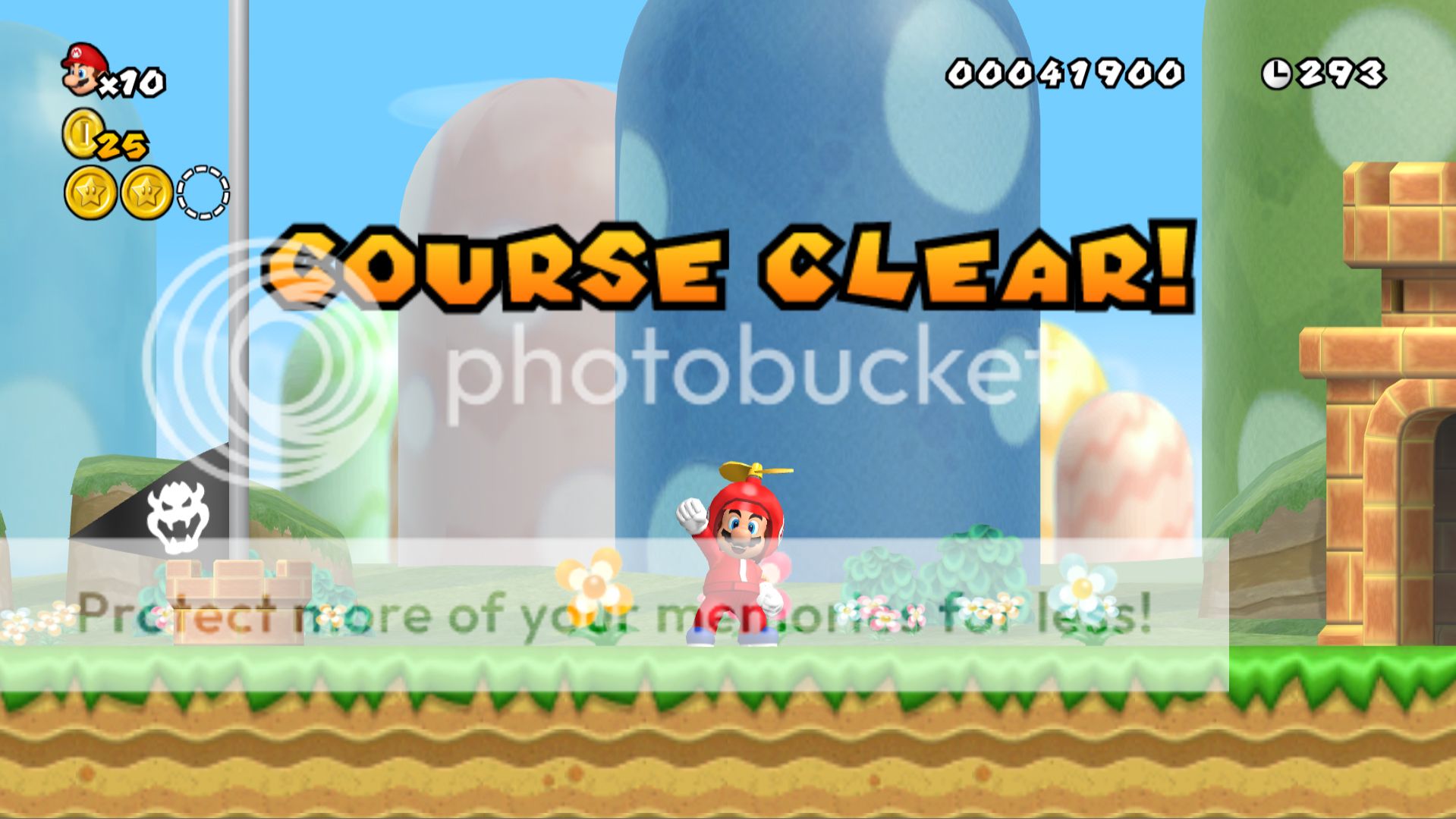
NSMBWiiHD4.jpg
 
.:Wesker:. said:
Actually this was fixed recently. :D

http://i853.photobucket.com/albums/ab100/Bionic_Catbus/NSMBWiiHD4.jpg[IMG][/QUOTE]

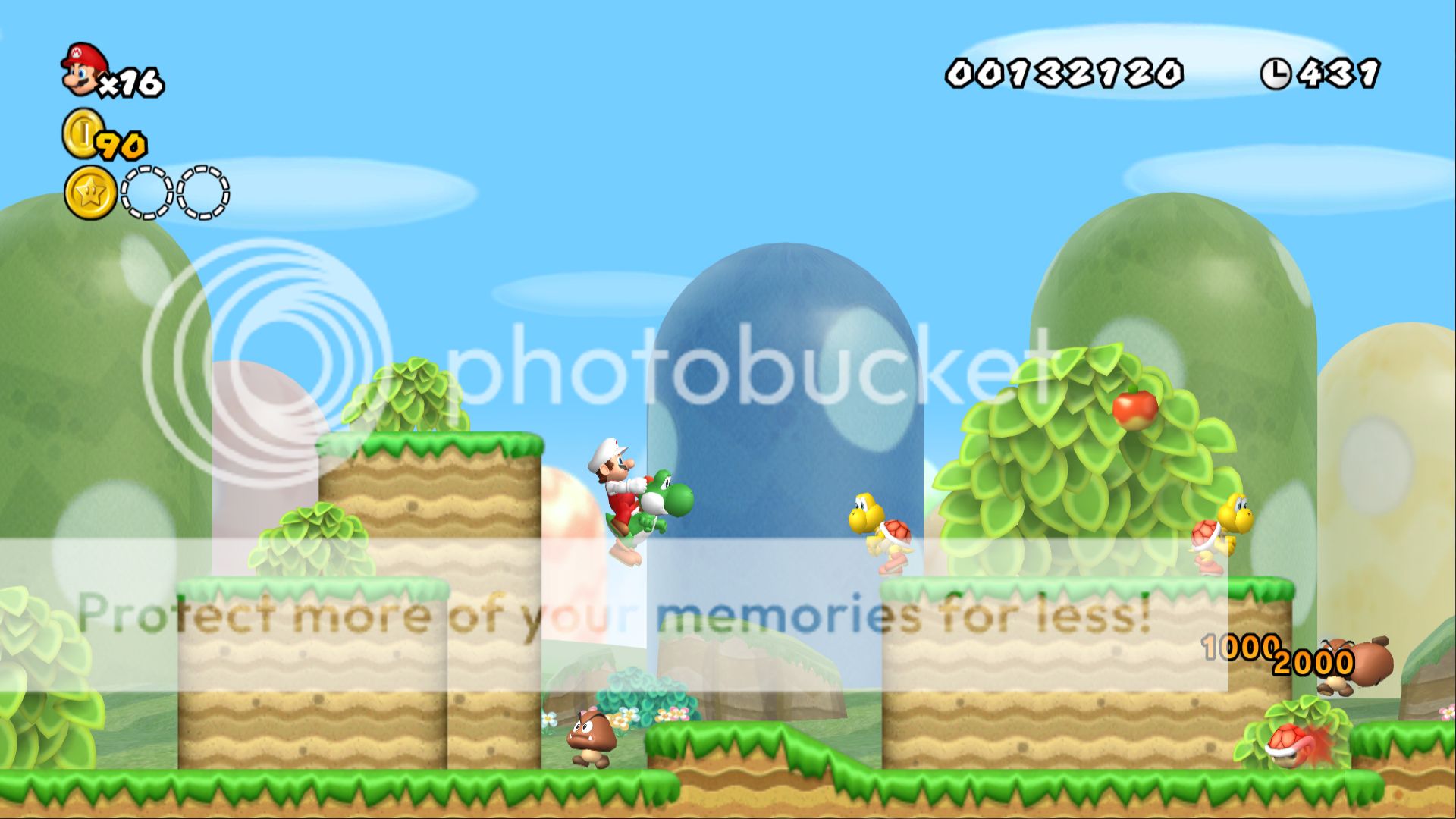
Wow that looks great. More would be greatly appreciated if possible.
 
Strange that Nintendo would pack in so much relative detail when the Wii's resolution can't properly convey it. Future-proofed?
 
Can I make a suggestion?

I found that Photobucket tends to make images lose a tad bit of quality by adding some artifacts.

If the image is not a .bmp, upload it through Tinypic to show off, Tinypic 100% preserves non.bmp images. Uploading .bmp converts them to .jpg and the conversion also causes them to lose quality.

I suggest uploading .bmp though Imageshack which converts them to .png, without any quality loss, since that site's banned (Gold Frog Syndrome), reupload that image through Tinypic (not banned :) ) to show it off.

Edit: While not a rosy place to show off images stored in an album, you can try either Picasa for Flickr.

Flickr sucks due to the resolution limit and upload limit as well (Normally images shrink to 1024px but you can cheat it at 1280px if that's the original size and you can only upload 100MB a month).

While Picasa is FAR better (no time limit on uploads, just a whooping 1024MB of space and 500 images a folder), it's not very hotlink friendly, images can only properly hotlink at 512px (sometimes 400px), but you can link the FULL-SIZE image via a clickable download. ;)
 
There is no way Nintendo didnt "future proof" this game intentionally. The HUD and details are too crisp at HD to not indicate such forethought.

It looks absolutely gorgeous and I am jealous of those with the PC's that can run it knowing the full-game will be tinge disappointing to me going in on an SDTV :(
 
Hero of Legend said:
Can I make a suggestion?

I found that Photobucket tends to make images lose a tad bit of quality by adding some artifacts.

If the image is not a .bmp, upload it through Tinypic to show off, Tinypic 100% preserves non.bmp images. Uploading .bmp converts them to .jpg and the conversion also causes them to lose quality.

I suggest uploading .bmp though Imageshack which converts them to .png, without any quality loss, since that site's banned (Gold Frog Syndrome), reupload that image through Tinypic (not banned :) ) to show it off.

Edit: While not a rosy place to show off images stored in an album, you can try either Picasa for Flickr.

Flickr sucks due to the resolution limit and upload limit as well (Normally images shrink to 1024px but you can cheat it at 1280px if that's the original size and you can only upload 100MB a month).

While Picasa is FAR better (no time limit on uploads, just a whooping 1024MB of space and 500 images a folder), it's not very hotlink friendly, images can only properly hotlink at 512px (sometimes 400px), but you can link the FULL-SIZE image via a clickable download. ;)

Tinypic resizes them to 1600x900 =|

I guess I'll go try Picasa.
 
.:Wesker:. said:
Tinypic resizes them to 1600x900 =|

I guess I'll go try Picasa.

Oh, I guess because I don't really use that for high-res images that I never noticed. :(

Oh, there's also PicFront, I never tried hotlinking and I don't think it's banned.
 
.:Wesker:. said:
Actually this was fixed recently. :D


:O

Can you direct me to the newest/most complete build, pretty please?

I do believe that NSMB Wii might become the first game I ever purchase with no intention at all of playing it on the system it was created for.
 
SecretBonusPoint said:
There is no way Nintendo didnt "future proof" this game intentionally. The HUD and details are too crisp at HD to not indicate such forethought

I would LOVE to believe this, but what makes you so sure?
Haven't the details of other Wii games like SMG from 2007 translated over very well too?
 
SecretBonusPoint said:
There is no way Nintendo didnt "future proof" this game intentionally. The HUD and details are too crisp at HD to not indicate such forethought.

Meh, I've seen that in other console games as well, like Final Fantasy XII where there's detail you don't even really see except in an emulator.
 
Dabookerman said:
Furthermore, you are talking about the difference between the screen size of 480 x 272 and the Wii which outputs a maximum of 854 x 480.
No. It's 640X480, even in 16:9 mode. I can't believe that people are still making that assumption after three years.
 
Time and time again I've asked people how they manage to get these games running so smoothly. I wish these threads would feature an OP with the recommended emulator settings and which build (official or unofficial) is the most stable.

I've tried several Gamecube games but none of them have worked properly. Sound is missing, framerate is super slow, and so forth.

I'm also curious what program people are using to take such huge screenshots.
 
SOLDIER said:
Time and time again I've asked people how they manage to get these games running so smoothly. I wish these threads would feature an OP with the recommended emulator settings and which build (official or unofficial) is the most stable.

I've tried several Gamecube games but none of them have worked properly. Sound is missing, framerate is super slow, and so forth.

I'm also curious what program people are using to take such huge screenshots.

It depends a lot on your PC specs, (CPU speed mostly). Also, the dolphin emulator is very much a work in progress, so always make sure you have the latest version. Finally there's the plugins/configuration, but Dolphin doesn't have that much settings to tweak, so you can experiment with that.

I agree that whenever someone posts an emulator video, you should also post your settings/specs, that will make it way more useful.
 
Maybe it's just me but youtube doesn't seem like the best place to post dolphin videos. I'd much rather someone just put the videos up for us to download or find a site that can run the videos the way they were meant to be. I'd love to see footage of NSMBW running on the dolphin emulator at 60 FPS.
 
TAJ said:
No. It's 640X480, even in 16:9 mode. I can't believe that people are still making that assumption after three years.

Oh of course.

That makes everything OK then.

blu said:
how does that absolve them from IQ criticism? handhelds should be able to do decent AA, some AF and adequate color depths. actually, i'd say their AA should be more than decent, given the screen is usaully in your face, and i (andecdote) have no issue picking the shape of individual pixels when watching them from normal distance on any of my handhelds (psp, ds, dsi, ipt, phone - you name it).


so basically you didn't realize the discussion was about IQ.. ok.


namely, said TV's poor scalers? darn wii's technical limitations.


a 4 inch screen well within 50cm from your eyes. i'll let you do the math re what is the normal resolution fidelity of the human vision at this distance, and compare that to the same at 3-4m (standard tv viewing distance).

Feel free to compare Handheld gaming visuals to the visuals of the Wii. If it makes you feel better.
 
These screens of NSMBs are fantastic, but is there something limiting in the emulator that we're only getting shots of world 1? Surely you guys have moved on further than that.

edit: Nevermind, tried the emu and game myself. So many damn glitches and workarounds needed to actually play with any kind of stability; almost not worth it. I personally can manage with the shitastic image quality on my real Wii for now.
 
kinggroin said:
These screens of NSMBs are fantastic, but is there something limiting in the emulator that we're only getting shots of world 1? Surely you guys have moved on further than that.

edit: Nevermind, tried the emu and game myself. So many damn glitches and workarounds needed to actually play with any kind of stability; almost not worth it. I personally can manage with the shitastic image quality on my real Wii for now.
Emulation is a work in progress, though. It may not be all that playable yet, but it will eventually become as such. Seeing the games as they are now offers us a glimpse of what may be possible down the road. Using the original hardware is still the best route to go, but it is neat to see what they are doing with emulation these days.

You have to admit that it shows a lot of potential.
 
brain_stew said:
Does FRAPs not work with the emulator? It'd save you a heck of a lot of time.
It doesn't for me. Does Fraps support OpenGL? I use the built in screen capturing button for Dolphin.
 
kinggroin said:
These screens of NSMBs are fantastic, but is there something limiting in the emulator that we're only getting shots of world 1? Surely you guys have moved on further than that.

edit: Nevermind, tried the emu and game myself. So many damn glitches and workarounds needed to actually play with any kind of stability; almost not worth it. I personally can manage with the shitastic image quality on my real Wii for now.

Yeah. I can only play it with Direct3D9 plugin (my controller is desynchronized when I load the ISO with OpenGL plugin), and the game is locked at half of the speed (seems like there's a cheat code that eliminate this, but I don't know how it works) and there's a lot of graphical gliches and bugs. A really nice tutorial to make it work properly would be nice, thought.
 
Top Bottom