• Hey Guest. Check out your NeoGAF Wrapped 2025 results here!

Graphical Fidelity I Expect This Gen

you need to install reshade then put the reshade file in the game's folder. then setup the game in the reshade app. The reshade will run automatically when you boot up the game and then pressing the home key lets you select whatever reshade you want to enable/disable.

its fairly simple, but you need reshade installed in your system first.

📥 Installation

  • Download the file "Reshade preset" from here.
  • Move the file to your game folder where the .exe is located: C:\steam\steamapps\common\Crimson Desert\bin64 (your path may be different)
  • Download ReShade (scroll to the very bottom of the page to get the latest version)
  • Run the ReShade installer.
  • Click "Browse" and select the game .exe from: C:\steam\steamapps\common\Crimson Desert\bin64
  • Click "Next".
  • Select DirectX 10/11/12.
  • In the next window, click "Browse" and select the preset file (the one you moved earlier into the game folder)
  • Click "Next".
  • Done! Launch the game 👍

Serpiente babosita, do you try the mod? Does impact performance? Thanks for the rundown
 
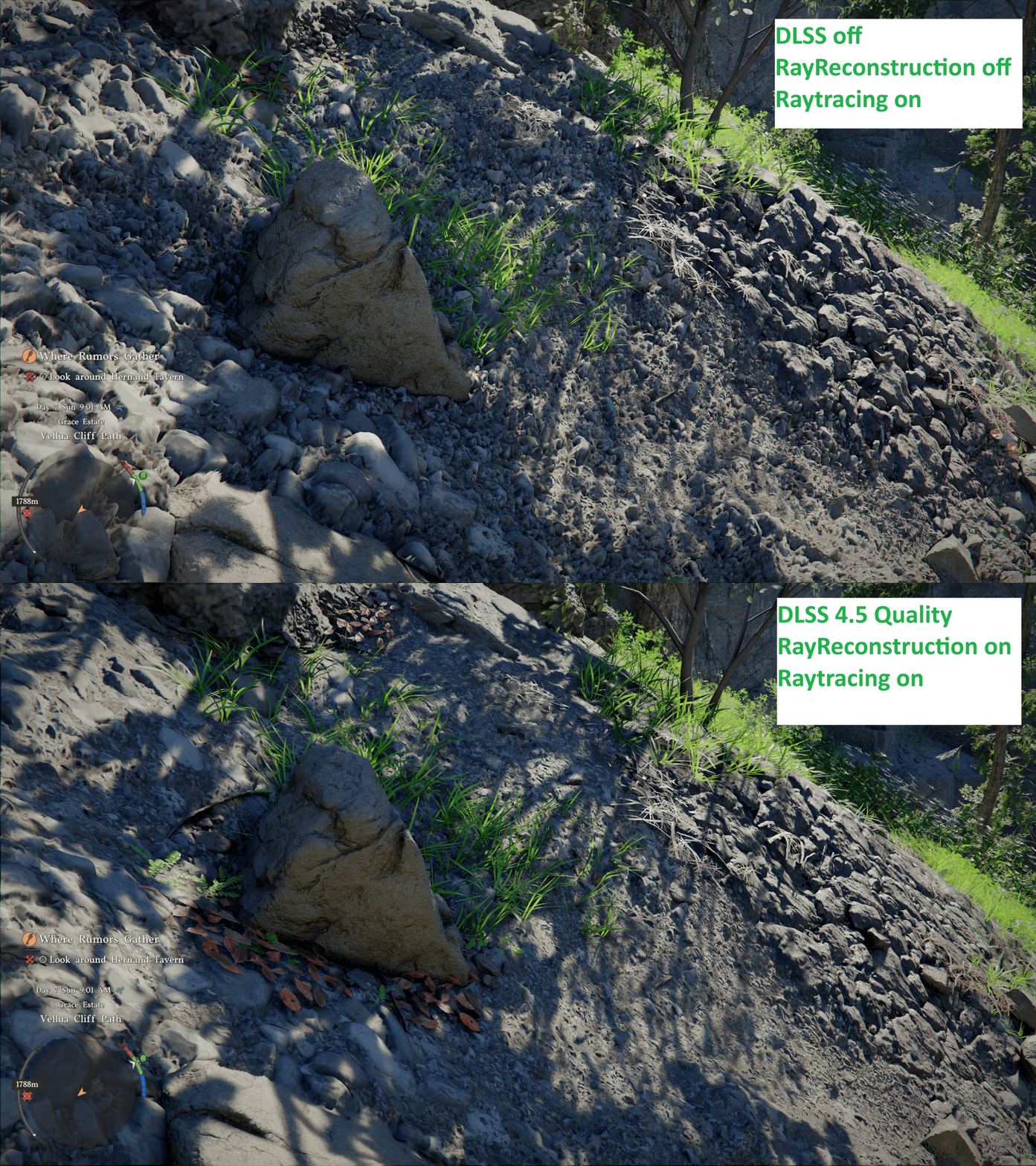
Why is 'DLSS Ray Reconstruction' deflating the terrain in Crimson Desert?

DDXjZaVGEw5Rhlcf.gif

New patch on Steam is out

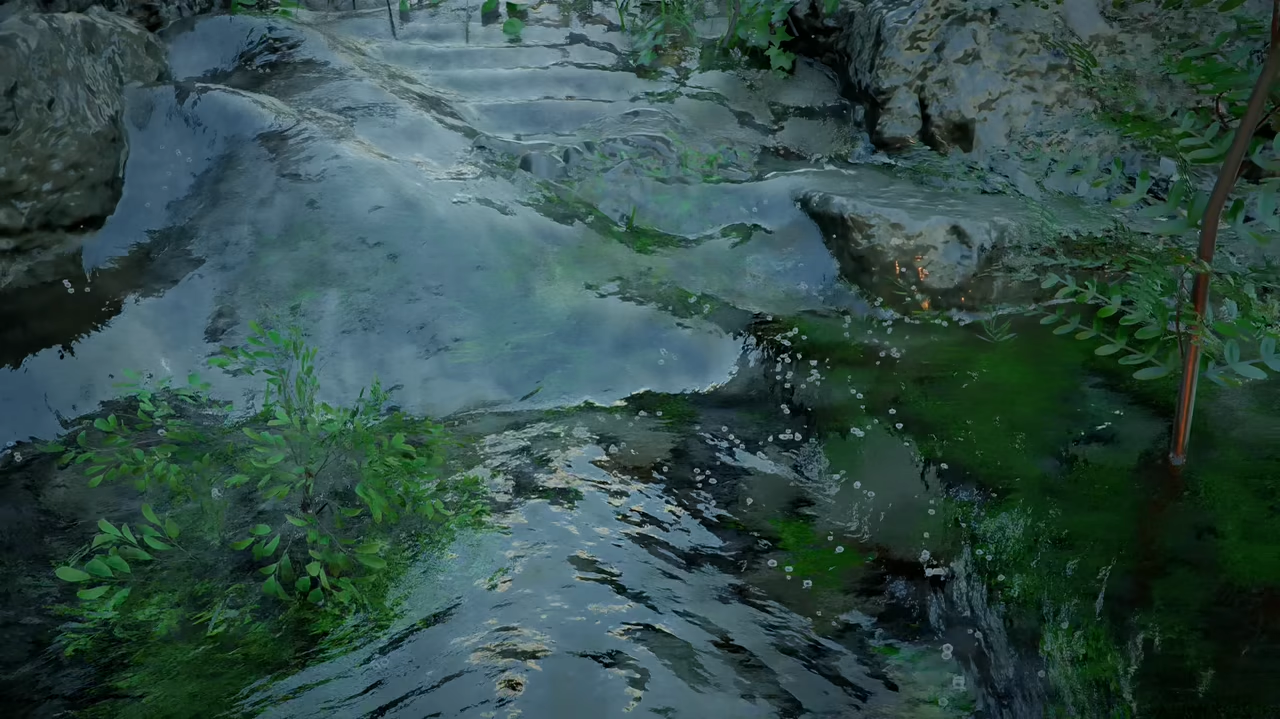
  • Fixed an issue where displacement mapping was not applied correctly when DLSS-RR was enabled. In addition, the DLSS-RR preset has been changed from D to E, improving overall visual quality and fixing an issue where texture animations, such as waterfalls, could stop playing.
 
Why is 'DLSS Ray Reconstruction' deflating the terrain in Crimson Desert?

DDXjZaVGEw5Rhlcf.gif
they just fixed it in a patch released a few minutes ago. Also changed DLSS preset to E like others had recommended doing manually.

  • Fixed an issue where displacement mapping was not applied correctly when DLSS-RR was enabled.
  • Improved rendering stability and visual quality in low-resolution environments or when upscaling is enabled.
  • Improved the rendering of translucent materials such as hair, fur, and clothing when FSR-RR / DLSS-RR is enabled.
I didnt notice any issues with hair and fur, but i really hope they have fixed the flickering with certain textures like hay stacks.

I wonder what they mean by improving rendering stability for low-res envs or when upscaling was enabled. Really hope they changed the way DLSS works in this game.
 
they just fixed it in a patch released a few minutes ago. Also changed DLSS preset to E like others had recommended doing manually.

  • Fixed an issue where displacement mapping was not applied correctly when DLSS-RR was enabled.
  • Improved rendering stability and visual quality in low-resolution environments or when upscaling is enabled.
  • Improved the rendering of translucent materials such as hair, fur, and clothing when FSR-RR / DLSS-RR is enabled.
I didnt notice any issues with hair and fur, but i really hope they have fixed the flickering with certain textures like hay stacks.

I wonder what they mean by improving rendering stability for low-res envs or when upscaling was enabled. Really hope they changed the way DLSS works in this game.

Man it's a long list of fixes that patch too and added content

They're working overtime over there
 
Glad I didn't buy it now and decided to wait. It's gonna be a treat - I hope - playing this half a year or even a full year from now.
I beginning to think that I shouldn't have either.
I'm still hesitant to really start playing Crimson Desert, gonna try to hold back until the major kinks have been ironed out.


they just fixed it in a patch released a few minutes ago. Also changed DLSS preset to E like others had recommended doing manually.

  • Fixed an issue where displacement mapping was not applied correctly when DLSS-RR was enabled.
  • Improved rendering stability and visual quality in low-resolution environments or when upscaling is enabled.
  • Improved the rendering of translucent materials such as hair, fur, and clothing when FSR-RR / DLSS-RR is enabled.
I didnt notice any issues with hair and fur, but i really hope they have fixed the flickering with certain textures like hay stacks.

I wonder what they mean by improving rendering stability for low-res envs or when upscaling was enabled. Really hope they changed the way DLSS works in this game.
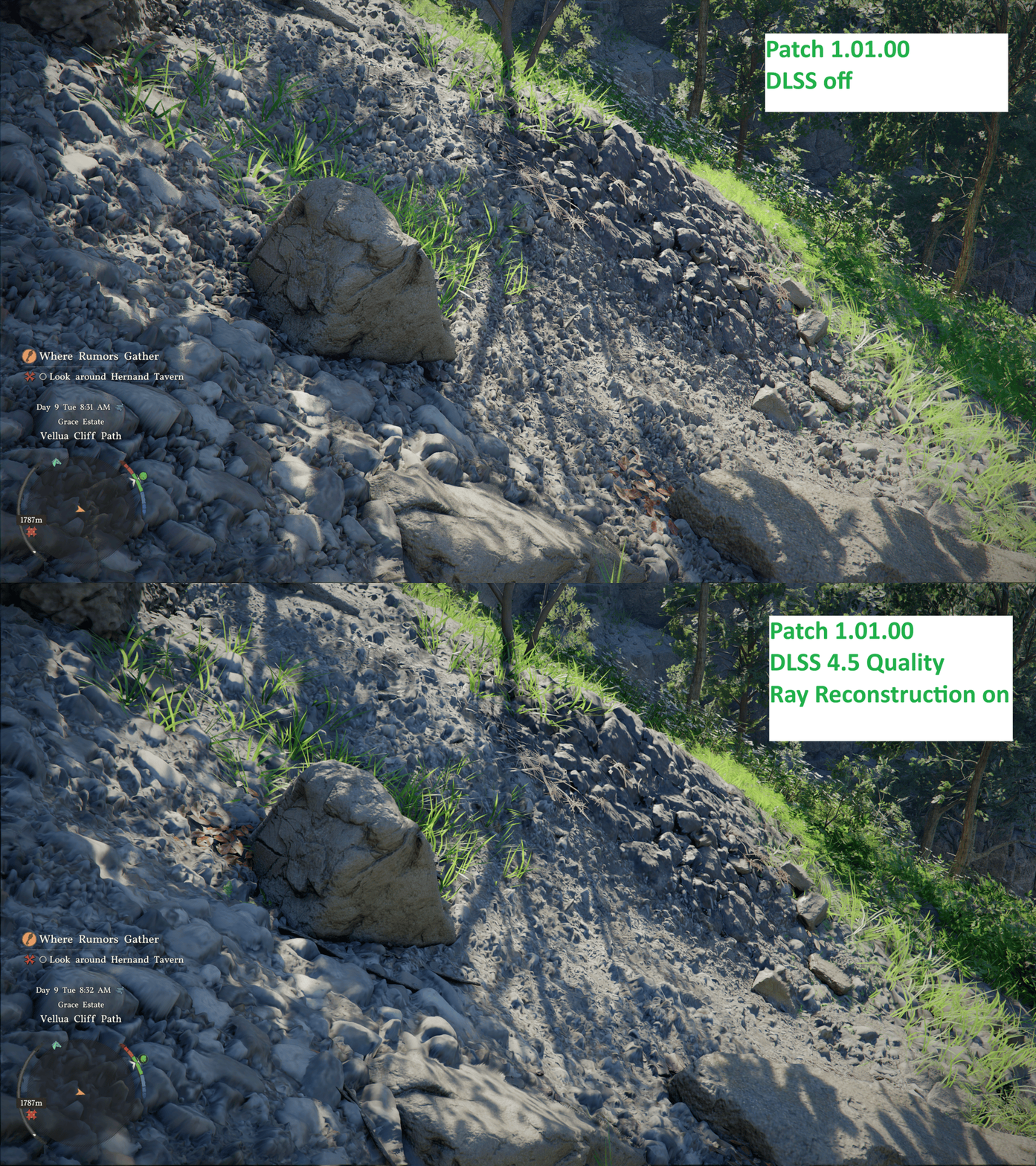
It's gotten way better, but it's not perfect yet (or I'm doing sth wrong):

pre patch:
Why is 'DLSS Ray Reconstruction' deflating the terrain in Crimson Desert?

DDXjZaVGEw5Rhlcf.gif

LOW6tnhvQ7SyrmAe.gif


edit: I just checked again. 'DLSS RR off' + 'DLSS RR on' look the same now, but there seems to be a general issue regarding DLSS.
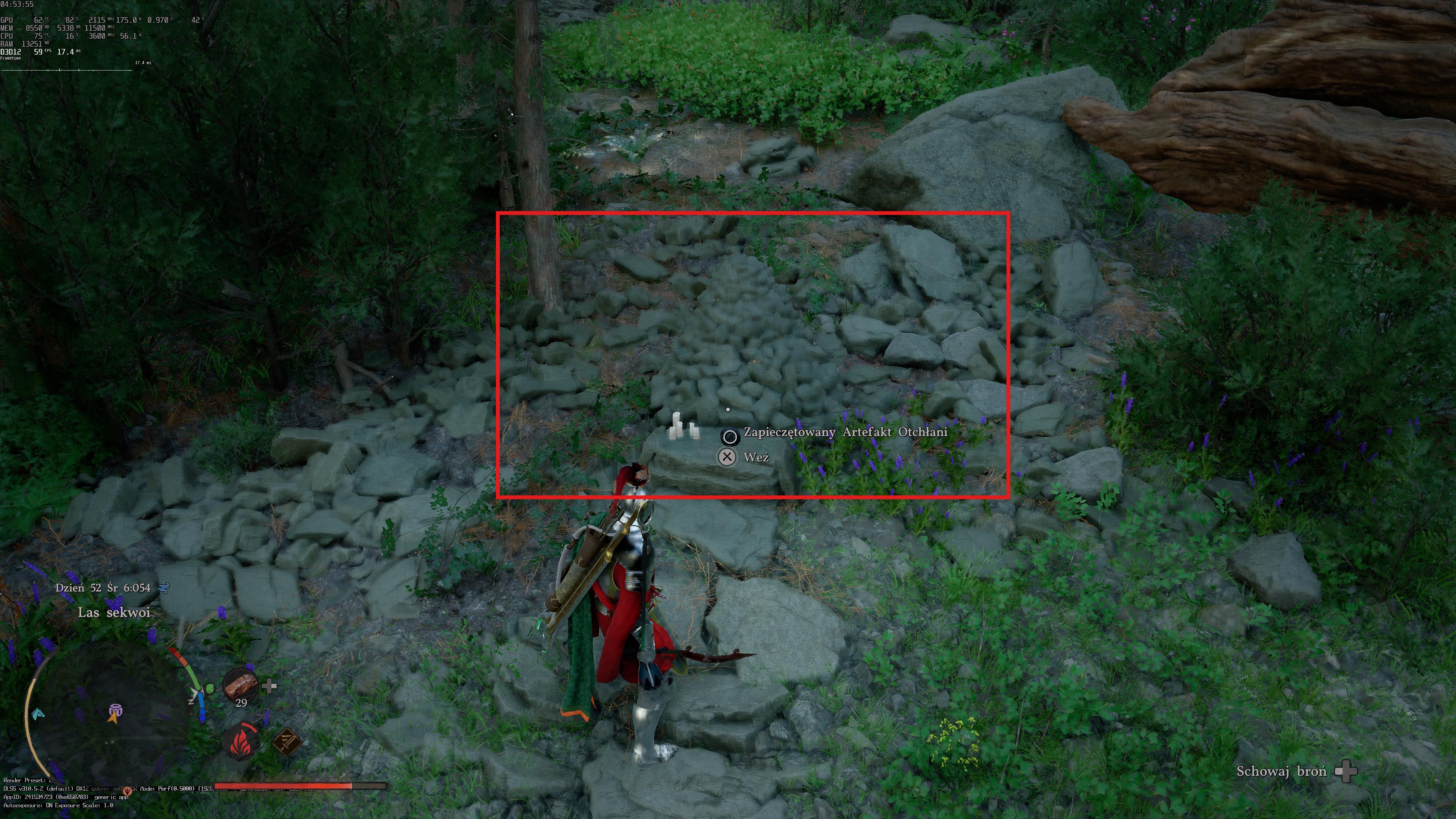
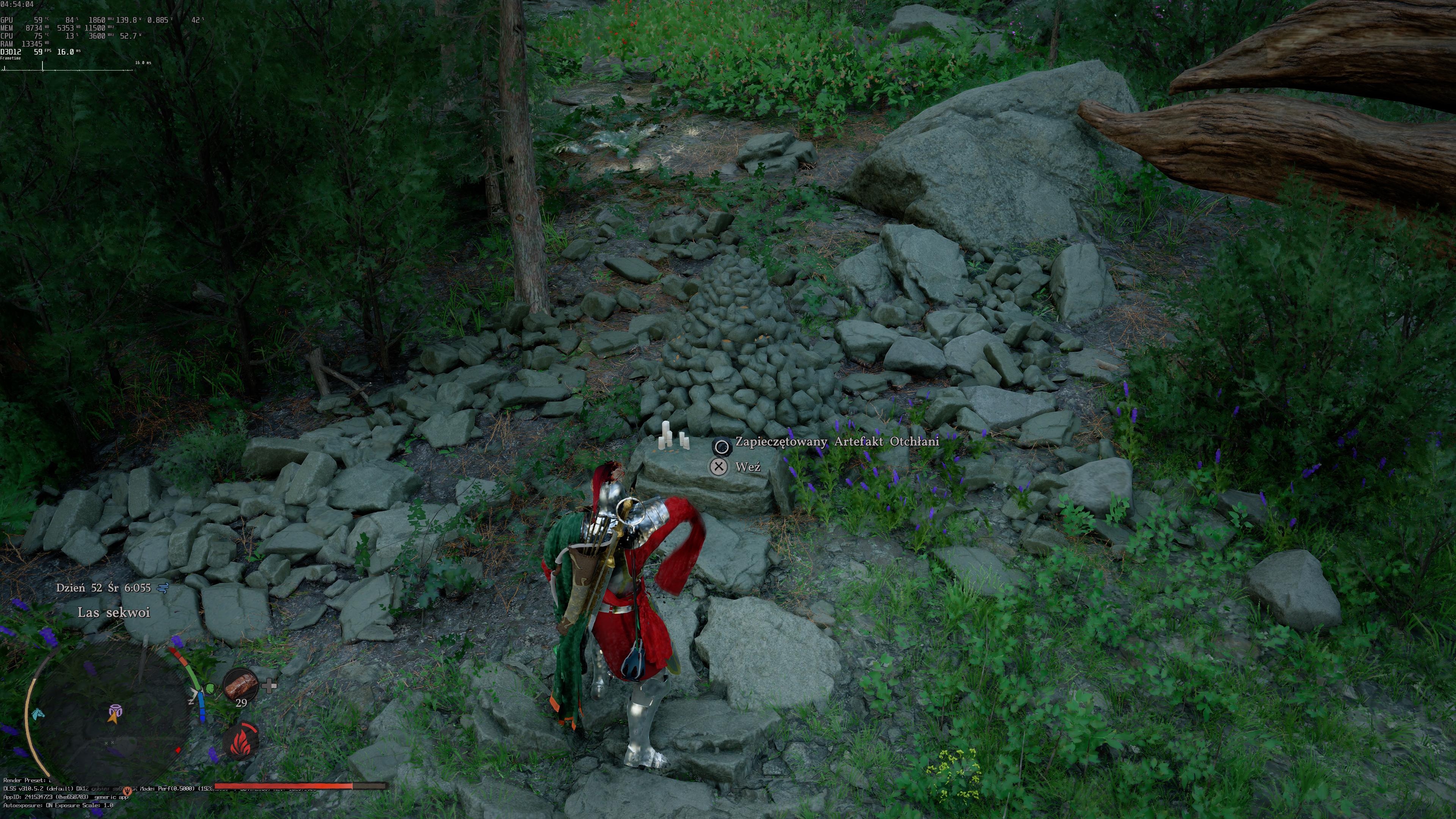
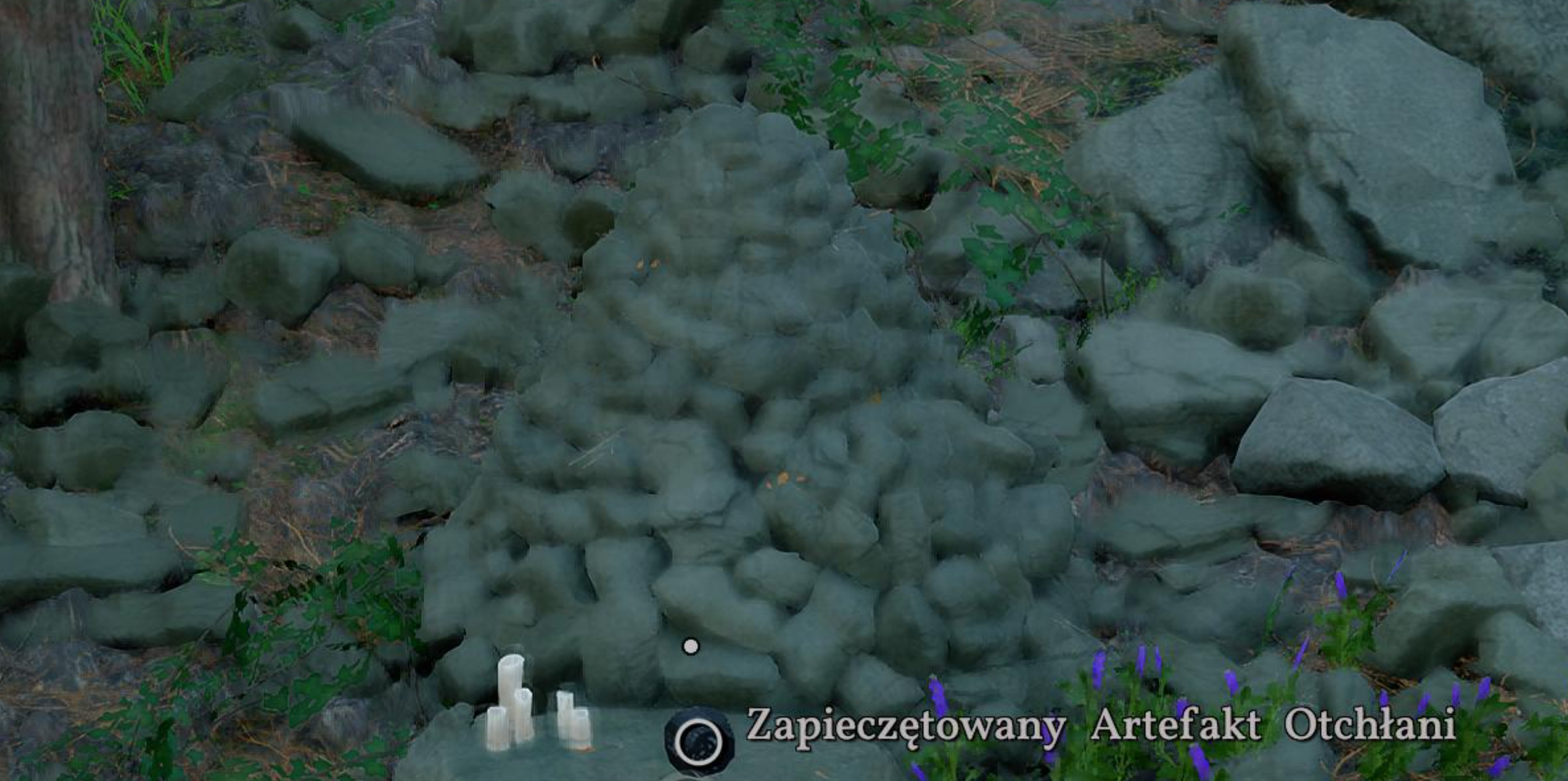
The finest layer of displacement mapping only applies when DLSS is turned off.
 
Last edited:
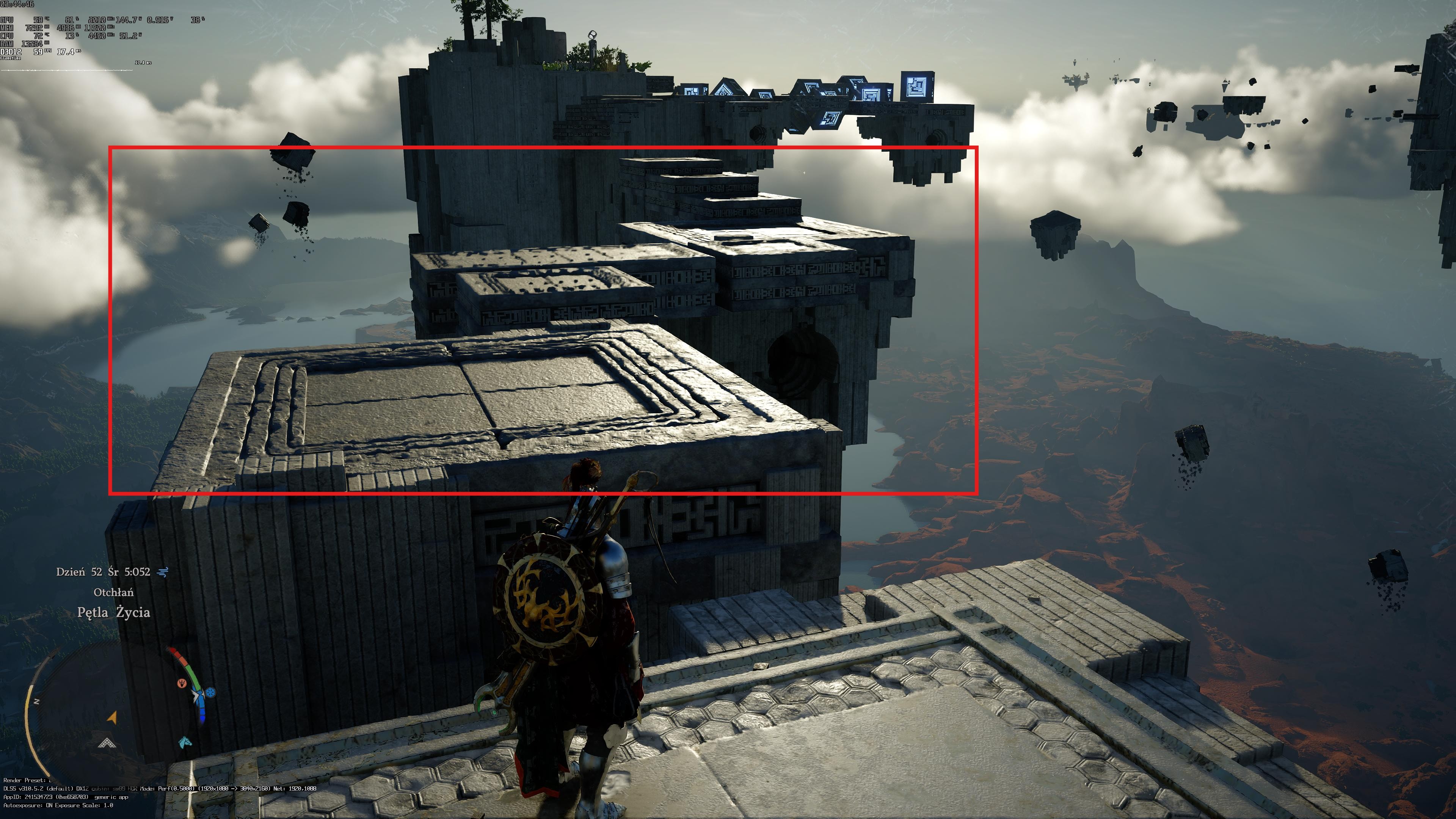
While there are lots of technical issues with Crimson Desert like poor quality grass and other foliage, clipping, shadows, implementation of these effects, etc, it can still look quite good.

s6krmUY.jpg
 
9-9-6 culture
Well this game was in dev for 7 years and this 9-9-6 culture resulted in issues that should've been fixed at launch.

I get that every game has issues especially ambitious open world games but the problems with this game's visuals are very unique and likely a result of overworked developers who would've caught these issues if they weren't working 72 hours a week.
 
I beginning to think that I shouldn't have either.
I'm still hesitant to really start playing Crimson Desert, gonna try to hold back until the major kinks have been ironed out.


It's gotten way better, but it's not perfect yet (or I'm doing sth wrong):

pre patch:


LOW6tnhvQ7SyrmAe.gif


edit: I just checked again. 'DLSS RR off' + 'DLSS RR on' look the same now, but there seems to be a general issue regarding DLSS.
The finest layer of displacement mapping only applies when DLSS is turned off.

They haven't fixed it unfortunately
 
I dont really find CD that impressive, mostly because it has insane image quality issues even with RR on. Possibly the worst looking DLSS4 title when it comes to image quality imo. Image never looks right, its blurry and sometimes oversharpened at the same time? Also lots of artifacts, noise etc.
 
I dont really find CD that impressive, mostly because it has insane image quality issues even with RR on. Possibly the worst looking DLSS4 title when it comes to image quality imo. Image never looks right, its blurry and sometimes oversharpened at the same time? Also lots of artifacts, noise etc.
It's exactly like that and it really depends on the time of day. It's a rollercoaster when it comes to IQ. It has the potential to improve though, if they get their shit together. Game just came out, not trying to justify them but at least I see they are willing to work on all the outstanding issues.
 
Last edited:
I dont really find CD that impressive, mostly because it has insane image quality issues even with RR on. Possibly the worst looking DLSS4 title when it comes to image quality imo. Image never looks right, its blurry and sometimes oversharpened at the same time? Also lots of artifacts, noise etc.
On PS5 Pro it has the best IQ you could find in a console game, so I guess this is a PC specific issue
 
On PS5 Pro it has the best IQ you could find in a console game, so I guess this is a PC specific issue

Game has the same denoiser/low res RT issue regardless of platforms. Everything looks fine when you have direct lighting, but with overcast weather (or even worse) when it starts raining game looks like low res mess.

They are implementing upscalers in the wrong place in the pipeline or nothing can be done to fix this because RT is low quality in this game (even on max settings without RR).
 
Game has the same denoiser/low res RT issue regardless of platforms. Everything looks fine when you have direct lighting, but with overcast weather (or even worse) when it starts raining game looks like low res mess.

They are implementing upscalers in the wrong place in the pipeline or nothing can be done to fix this because RT is low quality in this game (even on max settings without RR).
yeah, rain and other visual effects like the ones that trigger when you add charms to your weapon sockets completely break the image quality.

im also not a fan of the shadows constantly flickering in windy forests. maybe its realistic but its an eye sore.
 
Am i crazy or there is a specific time of the day when you are outdoor when the game look super dull and flat?
Like one moment it looks great and the moment later it look grey and ugly?
 
Am i crazy or there is a specific time of the day when you are outdoor when the game look super dull and flat?

Like one moment it looks great and the moment later it look grey and ugly?

Yeah, right before dawn (when there is still no sun on horizon) game looks pretty bad.
 
Last edited:
I remember when rdr2 launched on PC, no one could max it out. That's one of the reasons why the game still holds up. These guys on the other hand purposely downgraded their game and why? Just to win some points on twitter?

i have lighting maxed out, ray reconstruction on, mostly cinematic settings and the lighting breaks indoors all the time. Constant flickering. Like its bouncing off light in slow motion lol its incredibly distracting in areas where the sunlight peaks through broken roofs. Same cabins straight up flash lighting effects. I'm sorry but for a game this heavy you can't have lighting this broken.

Same goes for shadows. Flickering to the point its an eye sore during storms. And why? Just enable rt shadows you dumb cunts. Forget the performance penalty. Let me choose if i want that performance hit. They are forcing max presets with rr, but the lighting is still bad? How? Because they are using low res rt effects even on max presets. Make this make sense.
 
Funny, my PS5 Pro buddy who is super casual, was complaining about how bad the image quality was, like something was broken he said... and he never complains about image quality :D
He probably has the 4K120hz bug (if you activate 120hz but don't have a screen that can handle it a 4K then the game sets itself at 1080p)

It's impossible to complain about IQ on Pro for this game
 
Low vs. cinematic object quality...

RwpujQTAj0kOtR1e.jpeg
6hgR9hftzRAChizS.jpeg
y7Qdm5l6NYsJY2Fm.jpeg
RHVvG6wSEKfMJKdk.jpeg

Mca2AciwTJeyFKBX.png
qpXuUMz3EuOUSRs9.png


Cinematic looks like some low res shit, looks like something in this setting is preventing upscalers from being able to fix this image. Anything above low looks like a blurry mess.

Of course there is more pop in and terrain is more flat, pick your poison...
 
Last edited:
Shadows in CD are flickering a lot in this game because the shadowmaps are 1024 resolution no matter the settings.

This has been confirmed by Forge from the RenoDx team.

Clouds as well are heavily downgraded in their quality to something like 1/64 res.

As for the blurriness, in this game you need RR on if you have Raytracing, otherwise it will look like crap even with DLSS 4.5. The problem of blurriness even with RR comes from the game having displacement maps which causes the that nasty effect in motion of many assets, particularly the ground which has tons of parallax occlusion.

This is in their list of known issues and they are working to fix it

I think the developers should add higher quality shadow option and better quality clouds in the future. I actually gave them some feedback in their website since they seem to listen and if you guys care, should do the same
 
Last edited:
yeah, rain and other visual effects like the ones that trigger when you add charms to your weapon sockets completely break the image quality.

im also not a fan of the shadows constantly flickering in windy forests. maybe its realistic but its an eye sore.
Holy shit i thought i was going crazy...
 
Low vs. cinematic object quality...
Cinematic looks like some low res shit, looks like something in this setting is preventing upscalers from being able to fix this image. Anything above low looks like a blurry mess.
Of course there is more pop in and terrain is more flat, pick your poison...

Or you try to force cinematic on gpu that has little ram and game runs out of vram thus choosing to display some assets in lower resolution to compensate.
I've yet to see bad texture on my 5090 and still don't understand what "popin" people talk about. There is some slight popin like in all games but nothing major.
 
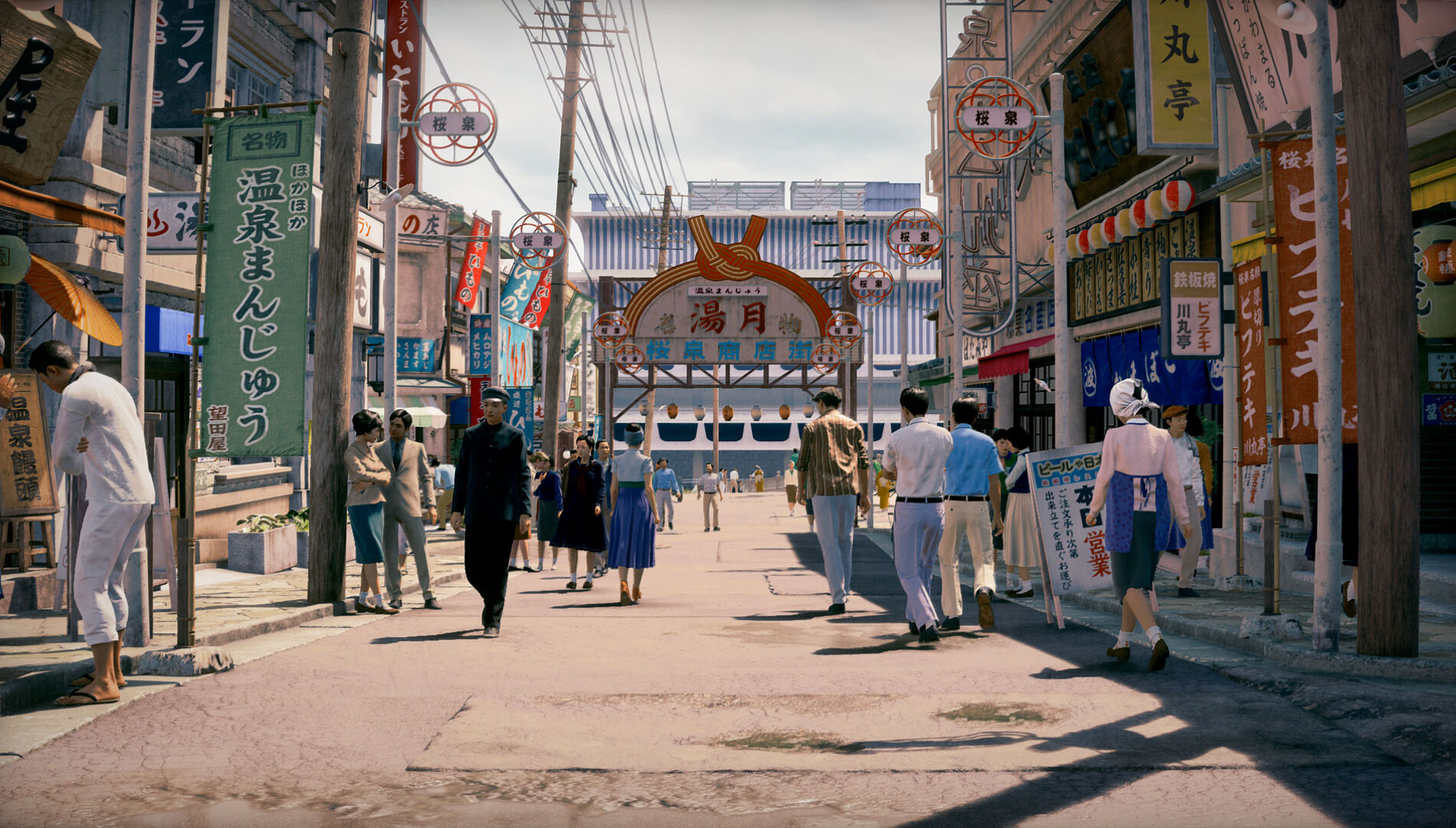
STH-4-8e6f0a24e65641c10173-1900x1080.jpg


I don't know what it is about Stranger Than Heaven - But something about it looks very appealing to me. Maybe the artstyle/color grading.

But its definitely the prettiest ugly game I've seen in a long time.

The animations are fantastic during combat too.

Keeping my eye on this one.
Art style is alright but this looks like a ps3 game imo
 
Bit late to the party, but holy shit RE9 with path tracing is next gen as fuck. This is seriously some ps6 level graphics. Just did the bike chase sequence and it looks like a cgi movie, completely blown away by this game. This is the current visual benchmark imo and I don't think we'll see many games match it this generation. GTA 6 will be amazing of course, but in raw visual fidelity I don't think it will compare. (maybe on PC if you can use PT).
I'd love to post some screenshots and gifs but I'm cucked in the UK not being able use imgur without a vpn.
 
Or you try to force cinematic on gpu that has little ram and game runs out of vram thus choosing to display some assets in lower resolution to compensate.
I've yet to see bad texture on my 5090 and still don't understand what "popin" people talk about. There is some slight popin like in all games but nothing major.

I have 16GB of VRAM and game is using 8GB...

Settings are fucked and that's it, only way to fix this is to play with DLAA, but I still think it will be much clearer in "low" setting.
 
Last edited:
I don't know what they fucked up but now any type of particles from weapons or destruction is beyond fuzzy and completely ruin the image quality...

Game looks good until you move the camera...

Also were the trees\vegetation shadows so fucking black crushed even before this patch?

But the game look like a turd without rr, it's basically a different game.
 
I have 16GB of VRAM and game is using 8GB...

Settings are fucked and that's it, only way to fix this is to play with DLAA, but I still think it will be much clearer in "low" setting.

DLAA renders game at native res and upscales it to even higher res and then lower it back down again to native res. Again increasing VRAM needed.
CD settings have some baked in auto settings that scale back and forth some things in engine depending on load it seems.
 
DLAA renders game at native res and upscales it to even higher res and then lower it back down again to native res. Again increasing VRAM needed.
CD settings have some baked in auto settings that scale back and forth some things in engine depending on load it seems.

No matter what it's doing, it's broken and it's breaking image uspacalers. No setting should look much worse on the highest value than on low.

This (and low res RT) are the reasons why people think game looks bad and low res in places.
 
Lmao koreans don't need any sleep apparently


Why the fuck do they release a partial fix? You either fix it or you dont.

What the hell man
 
Why the fuck do they release a partial fix? You either fix it or you dont.

What the hell man
Disagree, if they take a week to solve it completely, i prefer playing with something partially fixed for a week instead of playing with something completely broken for a week.

It is a net positive to have a partial fix instead of no fix at all.
 
Disagree, if they take a week to solve it completely, i prefer playing with something partially fixed for a week instead of playing with something completely broken for a week.

It is a net positive to have a partial fix instead of no fix at all.

Read the comments. The problem still remains
 
The finest layer of displacement mapping only applies when DLSS is turned off.
This is likely due to native rendering resolution being lower with DLSS.
Displacement map is a "texture" with per pixel coordinates describing the displacement value for each pixel.
If rendering res is 1/4th of native you get 1/4th of such pixels and 1/4th of displacement information leading to less displacement and loss of pixel sized details.
Hence why modern engines don't use that texture based trick and prefer "real" geometry instead.
 
They be working their asses off to get these patches going and people still find a way to complain, go help fix that shit then

The patch hasn't fixed anything. Besides games shouldn't be released with fundamental flaws like this one. The fact that you justify the devs is the reason why we get broken games in the first place.
 
The patch hasn't fixed anything. Besides games shouldn't be released with fundamental flaws like this one. The fact that you justify the devs is the reason why we get broken games in the first place.
And? You just out here whining like a hoe, have some respect for their work, they clearly doing the best they can on zero sleep, it'll get fixed soon enough.
 
Last edited:
And? You just out here whining like a hoe, have some respect for their work, they clearly doing the best they can zero sleep, it'll get fixed soon enough.

Are you retarded man? The fix they just released hasn't fixed the problem. How is this not a reason to complain about their incompetence lol. Get the fuck out of here
 
On PS5 Pro it has the best IQ you could find in a console game, so I guess this is a PC specific issue
Best IQ hell no. One of the best looking open world games when outdoors during the right lighting conditions? Hell yes. IQ goes to shit as soon az you step inside anywhere on Pro. Also, outdoors you can see a lot of noise and fuzziness in certain conditions.

Games with best IQ are games like Last of Us 2, Horizon, and God of War Ragnarok with new PSSR. Space Marine 2 and ghost if Yotei with pssr2. They don't have tge issues with Gamma levels, messed up hdr, and noise from RT like CD. Shadow quality is stable in those games and especially no pop in like CD. They are way better iq wise than this game!
 
Top Bottom