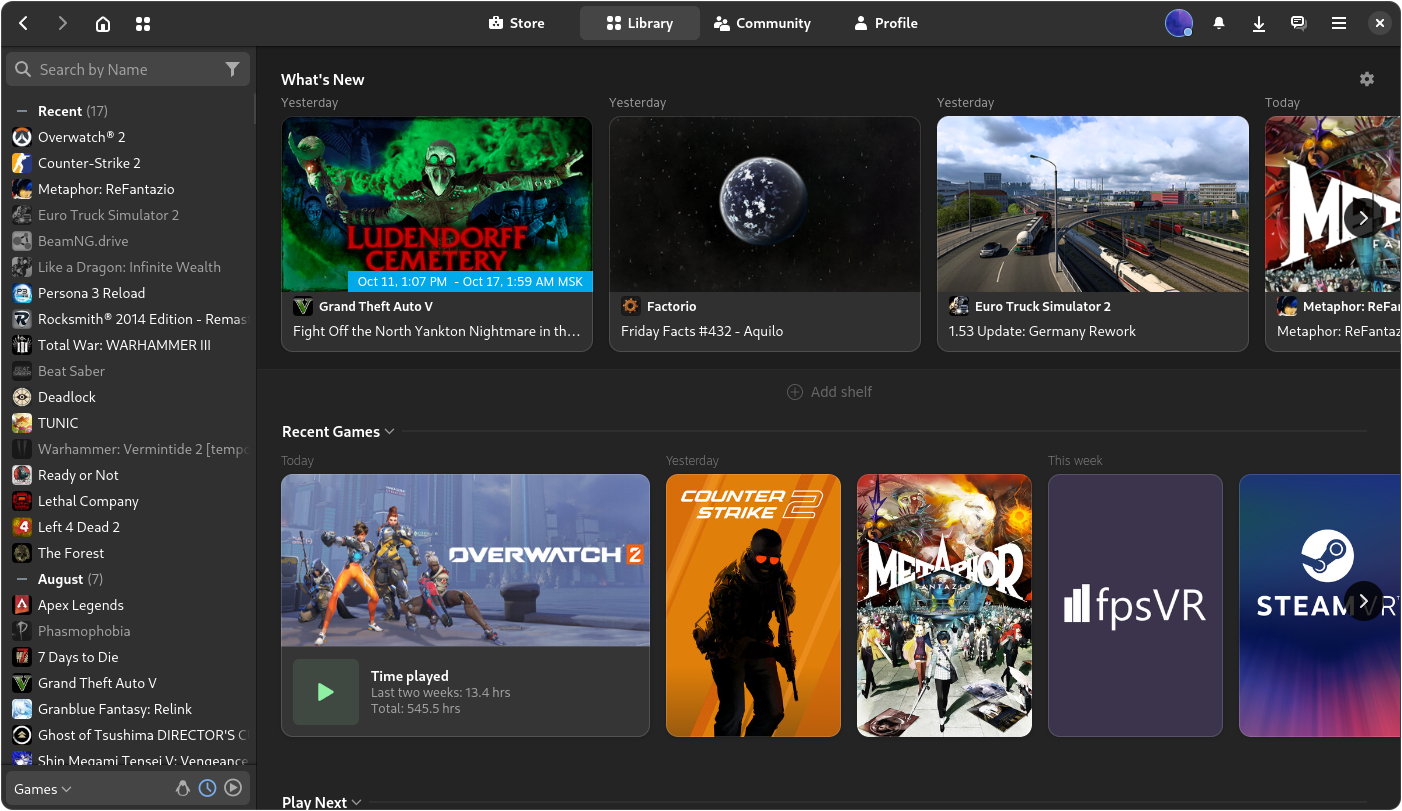
Linux Bros, what's the best Linux OS for gaming (GOG and Steam)?

Playnite always looked great, but 99% of my games are on Steam, so I'm not sure why I'd pick Playnite over Steam Big Picture mode, even on Linux.
What are you doing with that last 1% then?

I used Steam BPM but grew tired of all the hassle using games from other launchers and eventually just used Steam versions. Meant wasting money rebuying games or not playing them at all.

Then I found out about Playnite, suddenly I could launch everything from one spot. Awesome! And no manual operations adding games, it automatically adds complete library of games from all launcher accounts you're logged into, and show an install button and after that a play button, full-controller support. On Windows it can also throw in your full Gamepass library on the menu. You're literally not missing anything. It's awesome. 👌
 
The bugs I've had with Cachy are more centred around UI, with editing taskbar etc seems to have gotten stuck a couple times leaving me unable to do anything.

The default taskbar is the glitchiest, most unstable piece of shit I've used in a long time. Can anyone recommend alternatives and how to install them? Thanks.
 
Another Cachy & Win+LTT user here.

The bugs I've had with Cachy are more centred around UI, with editing taskbar etc seems to have gotten stuck a couple times leaving me unable to do anything.

Outside of that it's just game running issues which are more of a Proton/Wine issue AFAIK.

The default taskbar is the glitchiest, most unstable piece of shit I've used in a long time. Can anyone recommend alternatives and how to install them? Thanks.
I'm on GNOME though with these extensions:
  • Alphabetical App Grid
  • AppIndicator and KStatusNotifier Item Support
  • Blur my shell
  • Dash to Dock
You both are probably using KDE, right? Apparently you get better HDR support than me but maybe UI bugs are more common.
 
What are you doing with that last 1% then?

I used Steam BPM but grew tired of all the hassle using games from other launchers and eventually just used Steam versions. Meant wasting money rebuying games or not playing them at all.

Then I found out about Playnite, suddenly I could launch everything from one spot. Awesome! And no manual operations adding games, it automatically adds complete library of games from all launcher accounts you're logged into, and show an install button and after that a play button, full-controller support. On Windows it can also throw in your full Gamepass library on the menu. You're literally not missing anything. It's awesome. 👌
I'm using Heroic launcher for the other 1%. It seems to work just fine.
 
I also learned before I installed Bazzite when I was dipping my toes back into Linux, that installing any Linux distro on the same physical drive as the core Windows files, risks a windows update breaking the bootloader. Just keep the core OS files for each on a separate drive, then you can separate partitions on those drives for whatever extra storage you want formatted to whatever file system each os takes.

Even if you decide to have two separate drives, you need to physically remove the Linux drive when installing Windows because Windows will put it's bootloader on the Linux drive and there's no way to point it to a different drive.

If you do not do this, when you re-install Linux, it will wipe your Windows bootloader because Windows has placed it on your Linux drive.
I finally have the answer to why my bootloader was corrupted back when I had Windows installed. It's probably been a year or two since I went Linux only so it's not something I have to worry about anymore.
 
I'm on GNOME though with these extensions:
  • Alphabetical App Grid
  • AppIndicator and KStatusNotifier Item Support
  • Blur my shell
  • Dash to Dock
You both are probably using KDE, right? Apparently you get better HDR support than me but maybe UI bugs are more common.
I am. I just stuck with the default on install and it's fine. I'll have to try Gnome one day, it looks very clean
 
I am. I just stuck with the default on install and it's fine. I'll have to try Gnome one day, it looks very clean
It is so much smoother than KDE for me that's why I couldn't get myself into KDE tbh - in a workflow I mean and my friend has said it's very Mac like and he is very much into an Apple ecosystem.

It's just you have to use GNOME Tweaks which you get already installed, to turn like Maximize and Minimize buttons adjust startup programs or change icons to your liking, etc etc

Plus https://flathub.org/en/apps/com.mattjakeman.ExtensionManager
I use extensions I mentioned above.

Another stuff I changed are:
Theme: adw-gtk3-dark https://github.com/lassekongo83/adw-gtk3
Icons: Papirus-Dark-Yellow https://www.gnome-look.org/p/1166289/

To install icons you don't have to use the OCS extension, just drop them in
~/.local/share/icons

Another useful path is:
~/.local/share/gnome-shell/extensions

Basically if you download any of the extensions I mentioned and they are not working since they were made for GNOME 48, and Cachy currently uses 49.1, go in there edit metadata.json file with text editor, and go into:

Shell section

Code:
  "shell-version": [
    "45",
    "46",
    "47",
    "48"
  ],

And readjust it to:
Code:
  "shell-version": [
    "45",
    "46",
    "47",
    "48",
    "49"
  ],

Log out and log in or reboot for it to work.
 
Last edited:
I'm on GNOME though with these extensions:
  • Alphabetical App Grid
  • AppIndicator and KStatusNotifier Item Support
  • Blur my shell
  • Dash to Dock
You both are probably using KDE, right? Apparently you get better HDR support than me but maybe UI bugs are more common.

I'm actually thinking of migrating my install back to KDE from Gnome. I like Gnome (with extensions), but multi-monitor VRR and HDR being experimental really is just that...they don't consistently work at all for me lately. I also miss KDE's Wallpaper Engine plugin that doesn't use as many system resources for video wallpapers that different Gnome methods I've tried.

I have heard KDE releases on arch-based distros tend to be more inconsistent, since they're bleeding edge, and KDE's update cadence is faster than Gnome's. Just hoping in future Cosmic ends up good, because it looks like the in-between of Gnome with the looks, but more features out of the box like KDE so I don't need a gnome tweaks app to adjust my startup apps.
 
Just hoping in future Cosmic ends up good, because it looks like the in-between of Gnome with the looks, but more features out of the box like KDE so I don't need a gnome tweaks app to adjust my startup apps.
Yeah, it looks like it. And maybe their HDR will work better than on GNOME. Plus it is written on Rust, so it will be pretty fast DE.

Recently Matt was not happy with an app working really slow on Hyprland, so he recoded it in Rust and it's much faster.

Huh, there's more:


Edit: I've been also messing with journalctl lately and I've got a few of extension warnings there, I'm curious if Cosmic will be free of those.

 
Last edited:
Tried a few other installs since once you search Linux stuff google/youtube drip feeds you options.
Deepin OS
Deepin desktop does not install as an additional environment on anything. Always some dependency conflict. Even when trying on a fresh Arch as its only desktop, it installs, but then never gets past the login screen. So had to try Deepin OS itself, which is based on Debian. Damn, what a truly chinese product. Needs 50GB disc space, unlike everything else (okay Garuda also required 30). Takes forever to install. Runs like shit. With a terrible half assed localisation, while pretending that its AI features can make talking with foreigners easy. It looks interesting, at least somewhat different and unique, but no idea how this quality can be the base for the official Chinese OS product they sell there. Might just be better in original Chinese with all social credit spyware intact. lol
Curefish OS
Seems to be developed in cooperation with some of the Deepin guys. Looks for some reason better on Arch than in its own, I think Ubuntu based, OS. But feels unfinished and the OS itself seems to be actually dead.
Anduin OS
From some ex MS guy. Much like Deepin, Cutefish and Zorin windowslike but even closer here. Also have to wonder if this will last, since so far it is a one man show? If you really can't abandon the Windows look I guess this is the best option, beside the dubious Wubuntu, Winux and LinuxFX projects which are actually shameless copies.
Solus
The also somewhat windowslike Budgie environment looks nice already on Arch, but since this is one of the few independent builds, not based on one of the big ones, I tried that too. As far as I understand Budgie is maintained by a few distros in some shared effort, but the original home was Solus.
KaOS
Also based on nothing. Those seem to be guys that try to be 100% KDE. They use eg the Falcon browser which isn't some new Konqueror but also a Chromium based one just with QTengine or something. I have no idea why Linux ever needed GTK and QT and managed to make them not really compatible after decades of existance. Any Chromium, but Firefox too, is GTK and even though Chromium offers QT in their appearance options, it just doesn't work. Windows also can have custom windows for stubborn apps, but at least everyone mimicked the squary default with the samey symbols, whereas on Linux its open source offspring look maybe odd on KDE.
They have a nice theme, Midna, but no idea how to get that into another KDE environment since they left git and are on codeberg. Whatever either even is, I guess because of that it seems to not be drag and drop like themes are supposed to be. Its taskbar is on the right side, which can easily be changed, but unusual, with a couple of elements active that other distros also don't have in there as default.
Artix LXQT, Artix KDE, Artix QT
QT here means KDE but with a lot of crap already installed, while KDE and LXQT are their minimum systems. Funnily enough this distro does not work well with having two or more desktops installed. Just incompatible for some reason. Hence I tried those three in separate Virtual Machines. These are systemd haters, which may or may not be justified, which might cause the incompatibility. They use OpenRC (or runit) which is a Gentoo development but are otherwise Arch-based.
Beside Lubuntu this is the only LXQT variant that also looks nice. Not sure how you edit anything in LXQT but in other distros it looks awkward to use, with clumsy start menu and tiny window buttons. KDE is pretty standard just a theme that is close to what their LXQT design is too.
No clue what init systems are and how that can be replaced in programms that depend on systemd and need to have stuff rewritten/recompiled for Openrc, but this is at least a distro that appears to have an actual purpose and with some dark color choice which is more customisation than the average kde desktop which usally just has an accent color but standard for everything else.
Garuda OS (Mokka edition)
Finally something that is actually customised. The one thing KDE pretends to be so capable of while no distro seems to provide anything special and theme downloads do nothing spectacular either. This Mokka thing already looks terrible, but somewhat tame compared to their Dr460nized option. It has some flashy effects, eg with windows wobbling when moved, Apple like buttons, which is overall useless garbage which MS already realised after Win Vista Aero. The jarring color and frame choices for every element are certainly a special taste, while also linking to some website that claims dark pages for the internet would be better for eyes... that claim would have made more sense by the Artix guys who obviously love black/dark grey while Garuda is pure eyecancer, imho. I think only Endeavour had a similar suggested apps approach after base installation. Offering some options for everything eg Libreoffice, WPS Office, Calligra, Only Office... did not even know that so many office suites existed beside the limited Abiword, Scribus, gnumeric. So like in the app spaces that offer mostly popular stuff at the front pages but somwhat curated lists. There also was the CachyOS special kernel stuff to include which I did not see anywhere else mentioned.

I guess Lubuntu is the best choice for old hardware, or maybe Artix LXQT if you feel experimental or if you understand and support the anti-systemd stance. Might have switched if anything would look and feel better but as it is will keep Lubuntu on my old Pentium dualcore.

For anything that should just work any Ubuntu flavor is probably best. Even though the default Ubuntu and most of the Gnome stuff is a bit odd for Windows users. Linux Mint Cinnamon is also okay but basing your distro on Ubuntu which is based on Debian feels like a weird dependency chain. But of course Ubuntu themselves also have Cinnamon. And Linux Mint also exists as a based on Debian version, and Debian also has Cinnamon. Pure madness imho.
Same with Kubuntu, while KDE neon is based on Ubuntu, just newer maybe buggy KDE.
Alma Linux and Rocky Linux being the very same thing (in theory) and Oracle Linux basically too. etc. etc.
Just idiotic how much work goes into this flavour nonsense, most of the distros probably started just because egos collided and not being able to actually collaborate and needing to have the last say in decisions that are irrelevant for 99,9% of potential users. But this fragmented chaos is possibly turning away a lot of people. Even in the Android world people tend to want untouched Android and can't give a damn about anything Samsung, LG, Sony, Asus etc put on top, unless they want Lineage or Graphene. Problem is there is no real stock Linux, even though the Ubuntus are kinda in that position but with a ton of surrounding noise cause of everything else.

Still not sure what I will put on the modern machines. I like the KaOS, Cutefish and Budgie icons or I could just stick with the rather too plain and flat KDE default. Especially funny to see when compared to the icons in LXDE, the "ancient" ones, and how detailed those were, compared to almost childish current icon designs with intense colors but simplified shapes.
For gaming having steam mentioned somewhere is possibly the basic green light that the distro is okay with it, someone tested it once. Which is pretty much almost all and it worked so far with all where I tried. The end result should be pretty close. I only have to wonder if those LFS/Gentoo/Slackware compile everything builds would be any different since that is supposed to be best performance for exactly your computer. But benchmarks are only done with the easy to install distros.
I could install twice the same or two different ones to test longer which is better in some way. Which in the end will not matter much. While I don't like the direction of Gnome, I could also live with that.

 
BeardSpike BeardSpike and other Gnome users, have you seen this theme for Steam?

I think Bazzite actually had this as a ujust command to add the theme, or in their welcome wizard somewhere. I remember that theme, but I ended up switching it back.

Yeah, it looks like it. And maybe their HDR will work better than on GNOME. Plus it is written on Rust, so it will be pretty fast DE.

Recently Matt was not happy with an app working really slow on Hyprland, so he recoded it in Rust and it's much faster.

Hyprland in the same spot, where it's moving pretty rapidly, but still has some stability issues because it's younger than these other DEs. The theming I've seen people do on Hyprland though, is them most extensive I've seen in the Linux space. If you got the time and patience, you can make it look like the animu future. I know I've said this once before, but I think Cosmic or Hyprland is probably my future when they get stable, and I like the relationship the creators have with their communities over other DEs.
 
The one thing KDE pretends to be so capable of while no distro seems to provide anything special and theme downloads do nothing spectacular either.
Honestly KDE's theming is never perfect, but using Kvantum helps a lot at getting a better overall look.

 
theming I've seen people do on Hyprland though, is them most extensive I've seen in the Linux space. If you got the time and patience, you can make it look like the animu future. I know I've said this once before, but I think Cosmic or Hyprland is probably my future when they get stable, and I like the relationship the creators have with their communities over other DEs.
If Matt would share his theme and settings I would go into Hyprland no problem.

He made it look like GNOME with extensions I use, plus it kinda looks better I think.

But you have to basically sit at it and write your own settings in text file, resolution, refresh rate, looks.

I kinda thought it would be easier.

Messed a bit with it before breaking my install since I installed two DEs.

And it's kinda time eater at this point with a lot of googling, and sitting with setup instructions on Hyprland site, to get your bearings and whatnot.

Edit: Maybe if I would install Cachy with Hyprland from the get go I would have a theme to edit and add upon didn't try this.
 
Last edited:
But you have to basically sit at it and write your own settings in text file, resolution, refresh rate, looks.

I kinda thought it would be easier.

Messed a bit with it before breaking my install since I installed two DEs.

And it's kinda time eater at this point with a lot of googling, and sitting with setup instructions on Hyprland site, to get your bearings and whatnot.

Yeah, that's kind of my reason to wait on it. I just want Hyprland to mature more, to have more of the setup process automated, because if I'm going to dive into it I'm going to customize the crap out of the visuals at least.

I suspect next year we're going to see another wave of issues holding Linux as a platform back get solved like Nvidia driver performance, Vulkan improvements with DX12, and more improvements to Wayland for working with Proton, etc. Also hoping my GameSir pad in the next month or so gets Steam Input support, and messing with the Steam controller.
 
Honestly KDE's theming is never perfect, but using Kvantum helps a lot at getting a better overall look.
I don't think I want to customise anything once I choose a system. The OS should work for me and not I for it. I thought one distro might just be the perfect one, but with all KDEs being more or less copy paste, the choice is basically KDE with the smaller menu starter, an out of the box heavily modified gnome or one of the minor ones that aren't xfce or LXDE. It's nice to have something that feels comfy in some way, but it is not actually important. Even a pure windowmanager and terminal would do. A few years back I had Ubuntu installed just because it was the common suggestion and I did not even bother looking at anything else, kept the taskbar on the left. Only once it started to run badly, iirc around their Unity adventure, I tried alternatives and stuck with Lubuntu ever since.
But I usually do a customised GUI for my main software at work. Squeeze the nonsensical 10 workspaces into one panel, with not one bit more space required. Boggles my mind how they come up with those GUI designs that are just a waste of space and always require switching for every step, a thousand pointless clicks or button commands, unintuitive af, especially for beginners. That is some work that is worth it for something I'll use for years, many hours each day.
 
I don't think I want to customise anything once I choose a system. The OS should work for me and not I for it.
I get that, but I don't think I've had an OS in my entire life that just worked out of the box, and I always end up using some other third-party program to do things I want. Maybe the power user in me, but part of the appeal of Linux vs Windows 11 is how easier it is to change the interface, whereas Win11 lets me change less than 10 out of the box. Also, after messing with the interface to fit my particular needs, feels like it's more my computer anyway.

Boggles my mind how they come up with those GUI designs that are just a waste of space and always require switching for every step, a thousand pointless clicks or button commands, unintuitive af, especially for beginners. That is some work that is worth it for something I'll use for years, many hours each day.
I think that is a combo of different people working on different parts of the interface, combined with tech debt over time. KDE kind of throws in too many options within nested menus for a newbie, and Gnome obfuscates away options or you need programs to do basic things the settings interface should just have. That's why I'm a bit more optimistic with newer DEs like Cosmic and Hyprland, to see how they develop over time.
 
Bazzite announced 1 petabyte of .ISO downloads in 30 days, then followed up saying it wasn't meant as a challenge as they're now at 1.5 petabytes. Add that to Zorin's 780,000 and a pattern is developing..
 
I've got to put in a word for bazzite. I know it's already the buzz, but there's a reason.

It has multiple setups you can download. One that consolizes your computer and one that keeps the desktop paradigm.

This is the is the closest your are going to get to steamos. You can use game mode built in(which you should look into if you don't know what it does) to either boot like a steam deck, or switch to it from a machine that boots to desktop.

Then it's got heavy guardrails as an immutable os. That's huge.

It's got a task runner called ujust that is the unsung hero. It's like a baby introduction to the terminal. You open a terminal and it lists like 80 plain english commands with descriptions. You type one in like "ujust install-decky" and it actually does a fat series of commands to not just install decky, but do fine tuning configs to make sure it works right.

I've ran bazzite on 3 machines. 2 all AMD (desktop)and 1 all Intel (tablet). Been rock solid on both with no weird shit. And my games run fucking awesome using the game mode compositor. Maybe I'm 5 or 10 frames down from windows (sometimes? Maybe faster sometimes?) but it's smooth af with the frame timing.
 
Last edited:
It's got a task runner called ujust that is the unsung hero. It's like a baby introduction to the terminal. You open a terminal and it lists like 80 plain English commands with descriptions. You type one in like "ujust install-decky" and it actually does a fat serious of commands to not just install decky, but do fine tuning configs to make sure it works right.

That is probably my favorite part of Bazzite that I actually miss. Just a bunch of built-in helper scripts for automating popular installations that are annoying otherwise, like Davinci Resolve.

Just wish Waydroid had better support for Nvidia GPUs, so I'm stuck with my intel CPU if I wanna run android apps. At least Valve's Gamescope UI front-end is starting to work alright with Nvidia now that I last tried it, just some minor glitches vs how well it works on my Steam Deck.
 
That is probably my favorite part of Bazzite that I actually miss. Just a bunch of built-in helper scripts for automating popular installations that are annoying otherwise, like Davinci Resolve.

Just wish Waydroid had better support for Nvidia GPUs, so I'm stuck with my intel CPU if I wanna run android apps. At least Valve's Gamescope UI front-end is starting to work alright with Nvidia now that I last tried it, just some minor glitches vs how well it works on my Steam Deck.
It's also nice having a dual-pane file manager built into Bazzite, and it doesn't crash, unlike the free replacement ones I used on Windows.
 
Had some ring gfx_0.0.0 timeout lately on my RX 9700XT, went from RC kernel to normal Kernel, removed Mesa-git on CachyOS and switched to regular Mesa.

Now I'm compiling bleeding edge drivers in /opt.

Mesa

  1. cd && git clone https://gitlab.freedesktop.org/mesa/mesa
  2. sudo pacman -S yay rust meson
  3. yay -S cbindgen rust-bindgen libclc python-mako llvm spirv-llvm-translator
  4. meson setup build/ --prefix=/opt/mesa-git-dec -Dbuildtype=release
  5. ninja -C build
  6. sudo ninja -C build install
Game settings:
If using Lutris, just set:
VK_ICD_FILENAMES=/opt/mesa-git-dec/share/vulkan/icd.d/radeon_icd.x86_64.json
In system options / variables for every game

In Steam:
VK_ICD_FILENAMES=/opt/mesa-git-dec/share/vulkan/icd.d/radeon_icd.x86_64.json %command%
In General / Start up option for every game

So far works like a charm. If will see any instability I can always turn off newest drivers and use the regular Mesa.
This thread seems more active so I'm gonna post it here.

Played whole day without ring timeouts, yesterday.

I also managed to finally fine tune my Helldivers 2 settings for performance to be on par or even better than on Win11.

Proprieties>Beta>prod_slim (size of the game went from 153GB to 24GB)

Launch parameters
MANGOHUD=1 WINEDLLOVERRIDES="winebrowser.exe=d" PROTON_USE_NTSYNC=1 PROTON_ENABLE_WAYLAND=1 PROTON_USE_EAC_LINUX=1 gamemoderun %command% --use-d3d11 -USEALLAVAILABLECORES

Proton version it works with:
- Proton-GE-Latest
- Proton-EM latest
- Proton-CachyOS-Latest

Now mangohud opens even while using PROTON_ENABLE_WAYLAND variable and Wayland removes the white border bug on Linux.

CPU usage went down compared to Windows like a lot.

I played with a friend and whole planet of Automatons chased us yesterday with everyone dropping 500kg bombs, Orbital Lasers, Orbital Gatling Barrages and whatnot, my 7800x3d never went more than 50% of usage, while on Win11 it was like 80% ... With few lags here and there.

Here it was almost smooth 120fps maxed out native resolution, impressive.

If someone wants to use HDR add alongside PROTON_ENABLE_WAYLAND variable:
PROTON_ENABLE_HDR=1 ENABLE_HDR_WSI=1

PROTON_USE_EAC_LINUX=1 enables Proton Easy AntiCheat libraries.

The game even instantly closes compared to Windows, while it hangs a bit till AntiCheat turns off on Windows.

What is needed:
sudo pacman -S goverlay mangohud gamemode
I'm mostly setting up mangohud through goverlay, FPS caps and whatnot.

Feral gamemode I thinks helps, or it could be NTSYNC, lmao.
 
Last edited:
Interesting Bazzite issue with my controllers that I'm hoping someone here might know the answer to:

I'm using Bazzite with Nvidia and

PROTON_ENABLE_WAYLAND=1 PROTON_ENABLE_HDR=1 ENABLE_HDR_WSI=1 %command%

Works perfectly to give me HDR in every game I've tested it with. However, in some cases, I (Wuchang, Witcher 3, for example), I lose the ability to use my gamepad.

Now, here's the interesting part.

I have two gamepads, A Gamesir G7 Pro and a 8bitDo Ultmate 2. If I don't use the augment above, both controllers work fine connected by 2.4GHz dongle. If I do use the augment above to get HDR, neither controller works via the dongle. However, if I add:

PROTON_DISABLE_HIDRAW=1

which forces native use of the controller without Steam Input, the 8BitDo controller works fine via Bluetooth, but the Gamesir still won't work.

I understand that the argument that I'm using to get HDR via Wayland native bypasses a few things in Steam, including Steam Input, but I can't understand why the 8BitDo works just fine but the GameSir G7 won't. If I check the Game Controller settings in Bazzite, each controller will show up and work just fine when connected, so at the very least Bazzite recognizes both controllers without Steam having to translate the input.

Any ideas on how I could fix this issue?
 
Try:

Code:
 sudo modprobe xpad

If you can open terminal, when you have your game opened up and Steam won't pick up the controller.

This should force Xpad to manually force launch. See what that does.
 
Last edited:
Proton Wayland Controller Issues:

Enabling HDR in games on Linux using `PROTON_ENABLE_WAYLAND=1 PROTON_ENABLE_HDR=1 ENABLE_HDR_WSI=1` often leads to controller input issues, particularly with the DualSense controller. Users have reported that when these environment variables are used, the DualSense controller experiences incorrect input mapping—such as face buttons not registering and right stick axes being assigned to triggers—regardless of whether Steam Input is enabled or disabled This issue appears to be linked to the Wayland overlay used by Proton, which interferes with controller input handling

While some users have found that the controller works fine in non-Wayland sessions or with XWayland, the problem persists specifically when using the Wayland backend for HDR support A workaround involves using Gamescope to launch games with HDR, which can preserve controller functionality via Steam Input, though this adds complexity For instance, launching games with `ENABLE_HDR_WSI=1 game-performance gamescope --fullscreen -w 3440 -h 1440 -r 144 --hdr-enabled --hdr-debug-force-output --force-grab-cursor --mangoapp -- env ENABLE_GAMESCOPE_WSI=1 DXVK_HDR=1 DISABLE_HDR_WSI=1 %command%` has been reported to maintain both HDR and controller support

Additionally, controller support on Wayland with Steam is currently broken, and no reliable workaround has been established for native Wayland sessions Some users have attempted to resolve input issues by installing `game-devices-udev`, which provides udev rules and ensures the `uinput` kernel module is loaded, but this does not consistently fix the problem The issue is not limited to a single game or configuration, as it has been observed across multiple titles and distributions

In summary, while `PROTON_ENABLE_WAYLAND=1 PROTON_ENABLE_HDR=1 ENABLE_HDR_WSI=1` enables HDR, it often breaks DualSense controller functionality due to Wayland-specific input handling issues The most reliable workaround currently involves using Gamescope to launch HDR games, which allows Steam Input to function properly.

Poppinfresh Poppinfresh I tried AI search of your issues, got a hit but on DualSense controller.

Read up on Gamescope, and HDR stuff plus Nvidia. I recently saw some comments on reddit that someone finally used Gamescope on Nvidia no problem.
 
Poppinfresh Poppinfresh I tried AI search of your issues, got a hit but on DualSense controller.

Read up on Gamescope, and HDR stuff plus Nvidia. I recently saw some comments on reddit that someone finally used Gamescope on Nvidia no problem.
Yeah, I've tried Gamescope and it works sometimes. However, the native Wayland solution works every single time, which is why I'd prefer to use that.
 
Yeah, I've tried Gamescope and it works sometimes. However, the native Wayland solution works every single time, which is why I'd prefer to use that.


It runs on Mesa + AMD or Intel, and could be made to run on other Mesa/DRM drivers with minimal work. AMD requires Mesa 20.3+, Intel requires Mesa 21.2+. For NVIDIA's proprietary driver, version 515.43.04+ is required (make sure the nvidia-drm.modeset=1 kernel parameter is set).

Dunno if this will be doable on Bazzite - immutable OS and all that.

Or maybe it is enabled from the get go with Bazzite being a gaming focused distro, since you mentioned it sometimes works.
 
Interesting Bazzite issue with my controllers that I'm hoping someone here might know the answer to:

I'm using Bazzite with Nvidia and


Works perfectly to give me HDR in every game I've tested it with. However, in some cases, I (Wuchang, Witcher 3, for example), I lose the ability to use my gamepad.

Now, here's the interesting part.

I have two gamepads, A Gamesir G7 Pro and a 8bitDo Ultmate 2. If I don't use the augment above, both controllers work fine connected by 2.4GHz dongle. If I do use the augment above to get HDR, neither controller works via the dongle. However, if I add:


which forces native use of the controller without Steam Input, the 8BitDo controller works fine via Bluetooth, but the Gamesir still won't work.

I understand that the argument that I'm using to get HDR via Wayland native bypasses a few things in Steam, including Steam Input, but I can't understand why the 8BitDo works just fine but the GameSir G7 won't. If I check the Game Controller settings in Bazzite, each controller will show up and work just fine when connected, so at the very least Bazzite recognizes both controllers without Steam having to translate the input.

Any ideas on how I could fix this issue?
Try the Bazzite discord. There's a whole tech support system there.
 
Any info on whether SteamOS will be made publicly available for desktop use once the Gabecube hits?
Probably not. Even the Gabecube is a unified hardware platform. Steam OS seems to be tailored to specific AMD SOC specifications for proper optimization.
 
Last edited:
B Broad Spectrum BeardSpike BeardSpike I posted on the Bazzite Discord so I'll see what sort of responses I get.

In the meantime, doing more research via Grok, it seems like 8BitDo just has better native Linux support than GameSir, which might explain why the Ultimate 2 works and the G7 Pro doesn't.
Maybe udev rule would help.

Put the G7 Pro in Xinput.

Confirm with

Code:
lsusb

Command in terminal

ID 3537:100a Guangzhou Chicken Run Network Technology Co., Ltd. Xbox 360 Controller for Windows

If should show up like this.

In HID input it will show up like this:
ID 3537:1004 GameSir-G7 Pro
And it HID Input it doesn't seem to work in Linux, except in wired mode.

ID 3537:1022 GameSir-G7 Pro
It then shows up as in HID Input wired, lmao. Curious...

Anyways now onto udev rule, if you have it in Xinput.

Code:
sudo nano /etc/udev/rules.d/99-gamesir-xinput.rules

or

Code:
sudo gedit /etc/udev/rules.d/99-gamesir-xinput.rules

Depends on what text editor you have in Bazzite, really.

Now add:

Code:
ACTION=="add", ATTRS{idVendor}=="3537", ATTRS{idProduct}=="100a", RUN+="/sbin/modprobe xpad", RUN+="/bin/sh -c 'echo 3537 100a > /sys/bus/usb/drivers/xpad/new_id'"

Hit: Ctrl+S to save

Code:
sudo udevadm control --reload

Unplug devices, plug again. In Bluetooth it might be a while till udev rule kicks in, might wanna reboot just to be sure.

I remember that these udev rules helped back when 8Bitdo had a worse support, and made some of the controllers unusable in Bluetooth fully work.

It won't break your OS. I would try it - it either will work or won't, no harm in trying it out honestly. Might just work.

From as I have understand Xpad has a bunch of these rules and it has to be actually patched with support for newer hardware, Bazzite might have Xpad with support for 8BitDo Ultimate 2 but not for Gamesir G7 Pro, the fastest way is to just add a dev rule yourself, imho.
 
Last edited:
Always do exactly what ChatGPT tells you
Grok is surprisingly not bad for relatively simple stuff like this.

It's my go-to for figuring out Linux stuff - faster and oftentimes more accurate than searching through a bunch of Reddit posts, and while it didn't fix my Gamesir Gamepad issue, it did a good job of explaining why the issue exists and why it isn't an issue with 8BitDo
 
Top Bottom